AI Google Ads Campaign Builder
Build Any Google Ads Campaign by Describing What You Want Describing What You Want
Search, Display, Shopping, Video, Performance Max, Demand Gen — all six campaign types via plain-English chat. Describe the campaign. The AI writes the structure, copy, and bids. You see exactly what will be created before it goes live.
Hello! 👋
I'm your AllAble assistant. Fill in the highlighted fields below and hit send — I'll take it from there.
- 6
- Campaign types: Search, Display, Shopping, Video, PMax, Demand Gen
- 0
- Forms to fill in
- 1
- Prompt to build a complete campaign structure with copy and bids
- 100%
- Review before any change goes live
Building a Google Ads Search campaign from scratch takes at least 16 steps in the native UI — goal, bid strategy, network settings, location, language, ad groups, keywords, RSA headlines, descriptions, and assets — before the first ad is eligible to run.
Add Display, Shopping, Video, PMax, and Demand Gen and each type has its own wizard, its own asset requirements, its own targeting logic. No incumbent replaces that flow — WordStream and Optmyzr use forms instead of wizards, which is faster but still requires knowing every field.
All 6 Campaign Types
Every Google Ads Campaign Type. One Chat Interface.
Search and Display Campaigns
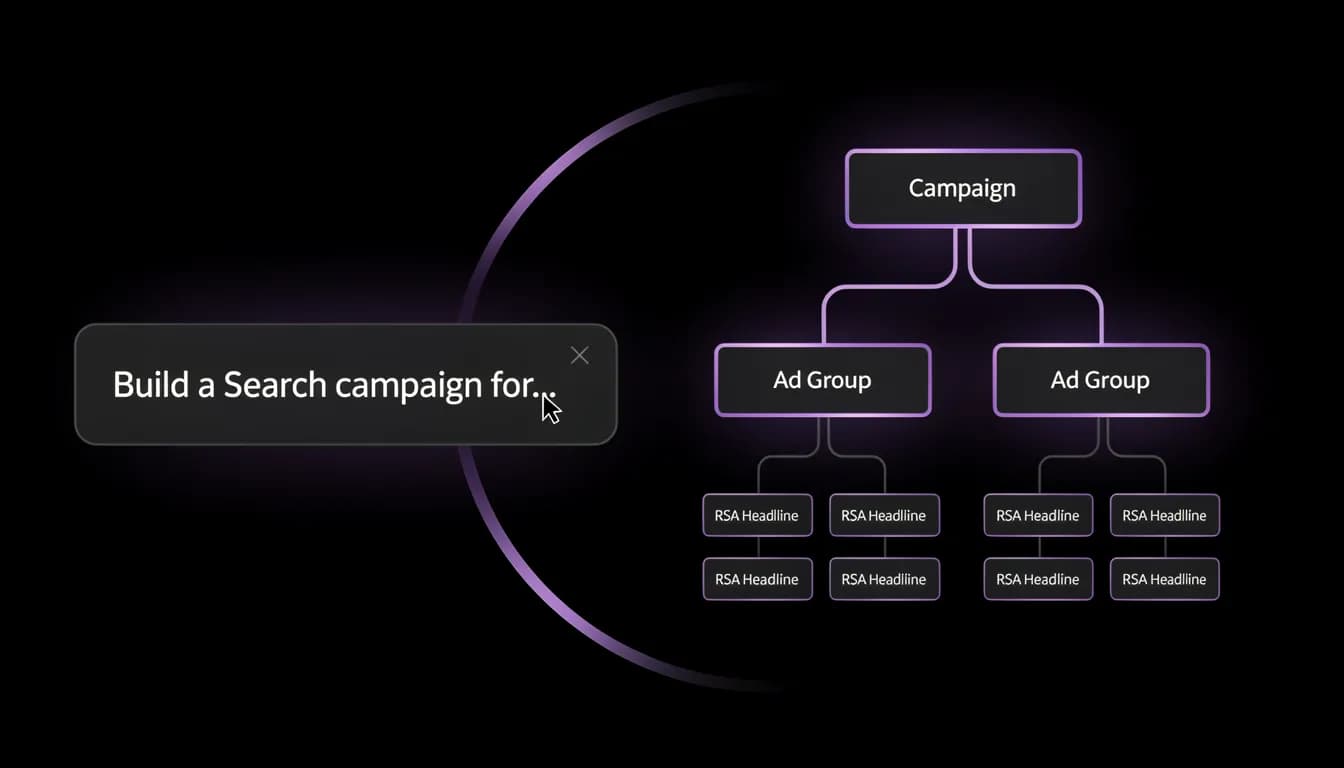
Build Search campaigns with keywords, RSA ad copy, match types, and bid strategies from a single prompt. Create Display campaigns by describing the audience — the AI configures in-market targeting, responsive display ad assets, and frequency caps. Both types from one conversation.
Shopping and Performance Max
Create Shopping campaigns against specific product groups by describing the product set and bid goal — the AI handles product partition structure and Merchant Center linkage. For Performance Max, describe your asset groups and audience signals: the AI builds the full PMax structure including listing filters for retail accounts.
Video and Demand Gen Campaigns
Set up Video campaigns (in-stream, bumper, non-skippable) by describing the audience, bid goal, and placement preference. Build Demand Gen campaigns for YouTube, Gmail, and Discover by describing the audience segment — the AI configures targeting and structures the asset groups around your creatives.
Build, Edit, Clone, and Scale
Campaign creation is one step. Allable also edits existing campaigns via chat ("add a negative keyword list to all Search campaigns"), clones structure across accounts, scales budgets by percentage, and applies the same structural changes across all MCC-connected accounts in one command.
How It Works
From Plain English to a Live Campaign — Without a Form in Sight
The campaign builder reads your Google Ads account context before proposing anything. Existing campaign structures, current budgets, top-performing keywords, and search term data inform every suggestion — so what the AI builds fits your account, not a generic template.
- Describe the campaign in plain English: product, audience, goal, budget — however much context you have
- AI reads your account structure, searches your connected Merchant Center (if applicable), and proposes a complete campaign
- Review the full proposed structure: campaign settings, ad group breakdown, keyword list, RSA copy, bid strategy, assets
- Approve the proposal — the AI pushes the creation only in EXECUTE mode, after you confirm
- Return later to edit: "increase the budget by 20%", "add a negative keyword list", "clone this campaign for the UK market"
Who Uses It
Campaign Creation for Every Level of PPC Expertise
In-house PPC Manager
You know Google Ads. You're not looking for a tutorial. You want to build campaigns faster, test more structures, and stop spending 40 minutes per campaign in the setup wizard. Describe the strategy — the AI handles the configuration. Review, approve, done.
SMB Owner / Solo Marketer
You don't need to know what a "Smart Bidding strategy" is to tell the AI "I want to get more calls to my plumbing business in Chicago, $40 a day." The AI translates that into a correctly structured campaign. You review it in plain English before it goes live.
Marketing Agency
Connect your MCC account and build campaigns across all client accounts from one workspace. Clone a campaign structure from one account to another, apply the same keyword changes across five clients in one command, or build a new campaign type for a client who's never run Display before — without navigating five separate dashboards.
How It Compares
AI Campaign Builder vs. Every Other Way to Launch a Google Ads Campaign
| Feature | Allable | Google Ads UI | WordStream | Optmyzr |
|---|---|---|---|---|
| Campaign creation model | Plain English prompt | 16-step wizard | Guided form wizard | Rule-based form |
| All 6 campaign types | Included | Native support | Core types only | Limited coverage |
| AI-generated RSA copy | Writes headlines and descriptions from a brief | Not included | Suggestions only | Not included |
| Review before changes apply | Full diff shown before EXECUTE | Preview only | Changes apply on save | Rule preview only |
| Context-aware (reads your account first) | Reads campaigns, KPIs, search terms | Not included | Reads some account data | Reads account data |
| PMax asset group creation | Asset groups, signals, listing filters | Native | Not included | Limited |
| Shopping product partition creation | Included | Native | Basic | Basic |
| MCC multi-account campaign creation | Create across all MCC accounts in one command | One account at a time | Separate account views | Separate account views |
| Edit via natural language | Add negative keywords to all Search campaigns | Navigate to each setting | Not included | Not included |
| Clone campaign across accounts | Describe target account, AI mirrors structure | Not included | Not included | Limited copy |
| Starting price | From €49/mo* | Pay-per-click only | From $264/mo | From $208/mo |
| Free trial | No credit card required | Not included | Demo only | 14-day trial |

Common Questions
Google Ads Campaign Builder — FAQ
Does the AI create campaigns without my approval?
No. In ASK mode (the default), the AI can audit, analyse, and propose changes but cannot touch your Google Ads account. To create or edit campaigns, you switch to EXECUTE mode. In EXECUTE mode, the AI shows you the complete proposed campaign structure before applying it. You approve, then it pushes. Nothing is created silently.
Which campaign types can the AI build?
All six: Search, Display, Shopping, Video, Performance Max, and Demand Gen. Each type includes the full setup: campaign settings, ad groups or asset groups, ad copy or creative assets, targeting, bid strategy, and extensions. PMax includes audience signals and listing filters for retail accounts with Merchant Center connected.
How does the AI know what to build — does it just use generic templates?
The AI reads your connected Google Ads account before proposing anything. It reviews your existing campaign structure, current budgets, top-performing keywords and search terms, and account-level performance data. The proposed campaign is built around your account context, not a blank template.
Can I use it to edit existing campaigns, not just build new ones?
Yes. The same chat interface handles edits: "increase the budget on all Search campaigns by 20%", "add this keyword list as negatives to the Display campaign", "change the bid strategy on the Shopping campaign to Target ROAS". Describe the change, the AI shows you the diff, and you approve before it applies.
Does it work with Google Ads manager accounts (MCC)?
Yes. Connect your MCC account and you can create, edit, and audit campaigns across all connected client accounts from one Allable workspace. Build a Search campaign for one client and clone the structure to three others in one command. No switching between accounts.
How does it handle Performance Max, which has a complex setup?
PMax is where Allable's approach is most valuable: it has the steepest setup curve in the native UI. Describe the product or service, the audience goal, and the asset groups you want. The AI builds the asset group structure, configures audience signals (remarketing lists, Customer Match, custom intent), and sets up listing filters for retail accounts with connected Merchant Center.
Build Your Next Campaign in a Single Prompt
Connect your Google Ads account. Describe the campaign you want. The AI builds the structure, writes the copy, and shows you everything before touching the account.