
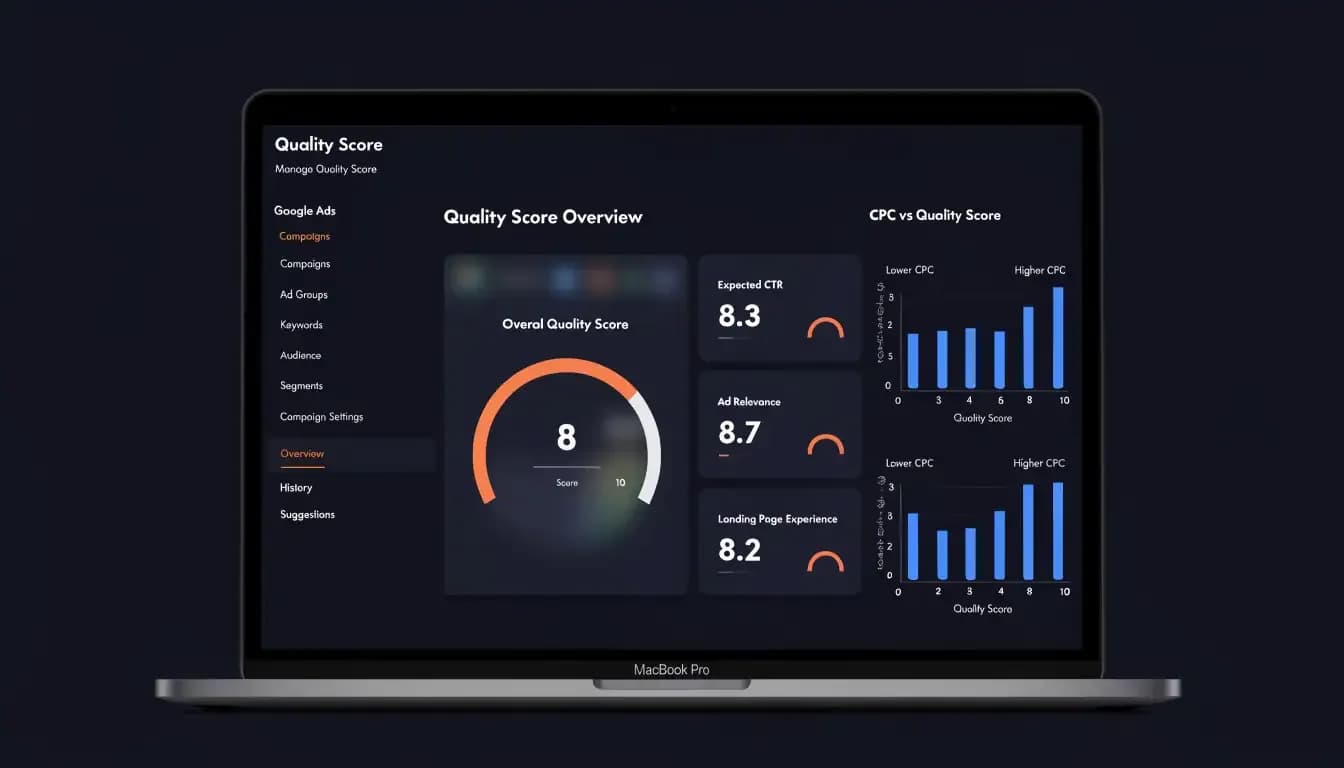
Discover what Google Ads Quality Score is, how it impacts your CPC and ad position, and 8 proven tactics to improve it in 2026. Free checklist included.
Quick Answer: Google Ads Quality Score is a 1–10 rating that measures how relevant and useful your ads, keywords, and landing pages are to the people who see them. A higher score means lower costs per click and better ad placements — without increasing your bid.
If you've ever wondered why two advertisers bidding the same amount on the same keyword end up paying wildly different prices, Quality Score is the answer. It's one of the most powerful levers in Google Ads — yet most advertisers either ignore it or misunderstand how it actually works. In this guide, you'll learn exactly what Quality Score is, how Google calculates it, what a "good" score looks like by keyword type, and the practical steps you can take to improve it and lower your cost per click (CPC).
What Is Google Ads Quality Score?
Google Ads Quality Score is a diagnostic metric rated on a scale of 1 to 10 that estimates how relevant and useful your keyword, ad copy, and landing page are compared to other advertisers targeting the same keyword. A score of 10 is the highest possible; 1 is the lowest. Google assigns a Quality Score to every keyword in your Search campaigns, and it directly affects both your ad position and how much you pay per click.
Quality Score is calculated primarily from three factors: expected click-through rate (CTR), ad relevance, and landing page experience. Each factor is rated as Below Average, Average, or Above Average relative to competitors targeting the same keyword.
Where to find it in Google Ads:
- Sign in to your Google Ads account
- Navigate to Keywords in the left menu
- Click Columns → Modify columns for keywords
- Under the Quality Score section, add: Quality Score, Exp. CTR, Ad relevance, and Landing page exp.
- Click Apply — you'll now see all four metrics in your keyword table
Note: Google only shows Quality Score for keywords with enough impression data. New keywords may display a dash (—) until they accumulate sufficient history.
The Three Components of Quality Score
Understanding what moves Quality Score starts with understanding its three building blocks. Google evaluates each component against advertisers competing for the same keyword at auction time.
1. Expected CTR
Expected CTR is Google's prediction of how likely someone is to click your ad when it appears for a given keyword — independent of your ad position. Google compares your historical click-through rate (adjusted for ad position) with the average CTR of all ads appearing in similar positions for the same keyword.
- Above Average: Your CTR outperforms most competitors on this keyword
- Average: Your CTR is in line with the competitive baseline
- Below Average: Google predicts your ad will receive fewer clicks than alternatives — the most damaging rating
Industry benchmarks suggest a CTR below 1.5% is considered low for Search campaigns. If you see a "Below Average" expected CTR rating, this is your highest-priority fix.
2. Ad Relevance
Ad relevance measures how closely your ad copy matches the intent and language of the keywords triggering it. Google looks at whether the keyword appears in your headline, description, and whether the overall message aligns with what the searcher is looking for.
Common causes of "Below Average" ad relevance:
- Ad groups containing too many loosely related keywords
- Generic ad copy that isn't tailored to a specific keyword theme
- Keywords placed in ad groups where the ad doesn't address them directly
3. Landing Page Experience
Landing page experience assesses how relevant, transparent, and navigable your landing page is for someone who clicks your ad. Google evaluates:
- Content relevance: Does the page deliver what the ad promises?
- Transparency: Is your business and privacy information clearly stated?
- Ease of navigation: Can visitors find what they need without effort?
- Page speed: Slow-loading pages create poor user experiences
- Mobile usability: Is the page optimized for smartphone users?
Landing page experience is the component most often overlooked, yet it carries significant weight — especially as mobile traffic continues to dominate pay-per-click advertising.
Quality Score vs Ad Rank: What's the Difference?
Quality Score and Ad Rank are related but distinct concepts — and confusing the two is one of the most common mistakes advertisers make.
Quality Score (1–10) is a visible diagnostic metric — a snapshot of your ad quality relative to competitors. It's reported in your account and helps you identify where to improve.
Ad Rank is the actual value Google uses at auction time to determine your ad position and how much you pay. It's calculated fresh for every single auction using real-time signals.
The simplified Ad Rank formula is:
Ad Rank = Max Bid × Quality Score × Expected Impact of Ad Extensions & Formats
This means a higher Quality Score can overcome a lower bid. Consider a real example:
Advertiser | Max Bid | Quality Score | Ad Rank |
|---|---|---|---|
Advertiser A | $3.00 | 9 | 27 |
Advertiser B | $4.00 | 3 | 12 |
Advertiser A wins position #1 — despite bidding $1 less — purely because of superior Quality Score. This is the fundamental insight: Quality Score is the great equalizer in Google Ads.
Google also uses "auction-time quality" (a real-time estimate separate from the stored 1–10 score) when running each auction. The displayed Quality Score is a rolling average meant to guide optimization, not a live signal.
Why Does Quality Score Matter? (The Cost Impact)
Quality Score has a direct, measurable impact on your cost per click. Google rewards advertisers who create relevant, high-quality ads with lower CPCs — a mechanism designed to keep search results useful for users.
The relationship between Quality Score and CPC adjustment is significant. Using QS 5 as the baseline (the average), here's how your effective CPC changes:
Quality Score | CPC Impact |
|---|---|
10 | −50% vs baseline |
9 | −44% |
8 | −37.5% |
7 | −28.6% |
6 | −16.7% |
5 | Baseline (0%) |
4 | +25% |
3 | +67% |
2 | +150% |
1 | +400% |
Practical example: Suppose you're bidding on the keyword "project management software" with a max CPC of $5.00.
- At QS 4, you might effectively pay $6.25 per click (25% above baseline)
- At QS 8, you might effectively pay $3.13 per click (37.5% below baseline)
That's a $3.12 difference per click. If your campaign generates 1,000 clicks per month, improving your Quality Score from 4 to 8 could save you over $3,100/month — without changing your bids.
Beyond cost savings, higher Quality Scores also mean:
- Better ad positions — more visible placements at the top of search results
- Higher impression share — your ads compete more often for the same budget
- Better conversion rates — ads that match user intent convert at higher rates
- Competitive advantage — you outrank competitors even with smaller budgets
What Is a Good Quality Score in Google Ads?
There's no universal "good" Quality Score — the right benchmark depends on the keyword type you're targeting.
Keyword Type | Target Quality Score | Notes |
|---|---|---|
Branded keywords (your own brand name) | 8–10 | You should have near-perfect relevance for your own brand |
Generic non-branded keywords | 6–7 | Competitive space; 7+ is strong |
Competitor keywords | 3–5 | Lower QS is expected; relevance is harder to achieve |
7–9 | High intent, lower competition, easier to achieve high QS |
A Quality Score of 7 is the recommended baseline for general keywords. Scores of 8 and above are excellent and will generate meaningful CPC savings. Chasing a perfect 10 for every keyword isn't necessary — and Google itself notes that Quality Score is a diagnostic tool, not a KPI to obsessively optimize.
Instead, focus on identifying keywords where you score 4 or below. Those are costing you the most money and delivering the least value.
How to Improve Your Expected CTR
Expected CTR is the component you have the most direct control over — it lives entirely in your ad copy.
Write headlines that match the search query
Your headline is the first thing users see. If it mirrors the searcher's language, clicks go up. Include your primary keyword in at least one headline — ideally Headline 1. Responsive Search Ads (RSAs) let you test up to 15 headlines, and Google automatically serves the combinations with the highest predicted CTR.
Use Dynamic Keyword Insertion (DKI) strategically
DKI automatically inserts the triggering keyword into your headline: {KeyWord:Default Headline}. This creates high keyword-to-ad relevance and can significantly boost CTR — but use it carefully in tightly themed ad groups to avoid irrelevant insertions.
Add ad extensions (now called "Assets")
Ad extensions increase your ad's visual footprint on the page and provide additional reasons to click. High-impact assets for CTR include:
- Sitelink extensions — additional links to specific pages
- Callout extensions — short highlights ("Free Trial," "No Setup Fee")
- Structured snippets — showcase specific features or categories
- Call extensions — phone number for direct contact
Each extension increases the chance that something in your ad resonates with the searcher.
Pause keywords with consistently low CTR
Keywords with a CTR below 1.5% and few or no conversions are dragging your historical CTR average down. Review your keyword list quarterly and pause the chronic underperformers. Your overall expected CTR average will improve, lifting Quality Scores across related ad groups.
Test your ad copy continuously
Run at least two RSA variants per ad group with different value propositions, emotional angles, and CTAs. Let them accumulate 300–500 impressions before drawing conclusions, then pause the weaker performer and write a new challenger.
How to Improve Ad Relevance
Ad relevance is about the match between your keywords and the ad that serves when those keywords are triggered.
Tighten your ad groups
The most common cause of poor ad relevance is overstuffed ad groups — 50+ loosely related keywords all pointing to one generic ad. When your ad has to serve 50 different keyword intents, it can't be highly relevant to any of them.
Best practice: Keep ad groups to 10–20 tightly themed keywords that share the same user intent. Each ad group should have a clear topic that your ad copy can directly address.
Try Single Keyword Ad Groups (SKAGs) for high-value terms
For your most important, highest-spend keywords, consider creating Single Keyword Ad Groups (SKAGs) — one keyword per ad group (in broad match modifier, phrase, and exact variations). This gives you:
- Complete control over which ad serves for that keyword
- Perfect keyword-to-ad copy alignment
- Cleaner Quality Score data
SKAGs require more account management effort, so reserve them for your top 10–20% of keywords by spend.
Use the keyword in your headline and description
If a user searches "email marketing software," your ad headline should contain "email marketing software" (or a very close variant). Google bolds matching keywords in ads on the SERP — this visual cue increases relevance perception and CTR simultaneously.
Align ad copy with searcher intent
Not all searches for the same keyword have the same intent. "Google Ads quality score" from someone learning about PPC is informational; the same search from a consultant diagnosing a client's account is commercial. Write ad copy that speaks to the specific intent behind the keyword — and use your keyword research to understand intent before writing.
How to Improve Landing Page Experience
Landing page experience is the bridge between your ad and the result — and it's where most conversions either happen or die.
Match your landing page to your ad promise
If your ad headline says "Start Your Free Trial Today," your landing page must make that free trial the primary, above-the-fold call to action. Any friction between what the ad promises and what the page delivers damages both landing page experience scores and conversion rates.
Message match is the principle: the headline, key benefit, and CTA on your landing page should directly mirror the ad that drove the click.
Fix your page speed
Page speed is a direct input to landing page experience. Google recommends pages load in under 3 seconds on mobile. Each additional second of load time increases bounce rates significantly.
Quick wins for page speed:
- Compress and properly size images (WebP format where possible)
- Enable browser caching
- Minimize render-blocking JavaScript
- Use a CDN (content delivery network)
- Check your score with Google PageSpeed Insights (free)
Optimize for mobile
More than 60% of Google searches happen on mobile devices. A landing page that looks great on desktop but is clunky on a 375px screen is penalizing your Quality Score every time a mobile user bounces.
Mobile optimization checklist:
- Tap targets (buttons, links) are at least 44px × 44px
- Text is readable without zooming
- Forms are short and easy to fill on a touchscreen
- Page content doesn't require horizontal scrolling
Create specific landing pages per ad group
Sending all your ad traffic to your homepage is a Quality Score killer. Build dedicated landing pages that are tightly matched to each ad group's keyword theme. A user clicking an ad for "Google Ads management software" should land on a page about Google Ads management — not your generic homepage.
Build trust signals above the fold
Google's landing page evaluation includes transparency and trustworthiness. Make sure your landing page includes:
- Clear company name and contact information
- Privacy policy link
- Social proof (customer logos, testimonials, review ratings)
- Security badges if collecting payments
Quality Score Optimization Checklist
Use this 10-point checklist to systematically diagnose and improve Quality Scores across your account:
- Audit your Quality Scores — Add QS columns to your keyword view; flag all keywords scoring 4 or below as priority
- Check each component rating — Identify whether the issue is Expected CTR, Ad Relevance, or Landing Page Experience (or all three)
- Review ad groups for keyword sprawl — Consolidate or split ad groups so each contains 10–20 tightly themed keywords
- Rewrite low-CTR ads — Any ad group with a CTR below 1.5% needs new copy; test 2+ RSA variants per ad group
- Include the primary keyword in your headline — Every ad group's primary keyword should appear in at least one headline
- Use all available ad assets — Enable sitelinks, callouts, structured snippets, and call assets
- Pause irredeemable keywords — Keywords below QS 4 with no conversions after 30+ days should be paused
- Test dedicated landing pages — Each ad group should have a landing page tailored to its keyword theme, not the homepage
- Run Google PageSpeed Insights — Fix any critical page speed issues; target under 3 seconds on mobile
- Review and repeat monthly — Quality Score is dynamic; run this audit at the start of every month
How Allable Helps You Write Better-Performing Ads
Improving Quality Score is fundamentally a creative and analytical challenge — and it's exactly the kind of task where AI-powered tools like Allable can compress hours of work into minutes.
Allable's ad copy generation lets you brief a campaign in plain language and get multiple headline variants, descriptions, and RSA combinations instantly — all written with the right keyword placement and intent alignment to maximize expected CTR and ad relevance from day one.
Allable's built-in keyword research goes beyond just finding keywords. It analyzes intent, identifies tightly themed keyword clusters, and helps you build the kind of well-organized ad group structure that drives strong ad relevance scores. You can explore keyword clusters directly from the platform instead of toggling between tools.
For landing page experience, Allable's content tools help you create on-brand, conversion-optimized landing page copy that matches the message of your ads — the single most impactful thing you can do to improve that third Quality Score component.
Whether you're managing one campaign or fifty, having an AI co-pilot that understands the full context of your PPC strategy means fewer "Below Average" ratings and more budget left over for the clicks that convert.
Frequently Asked Questions
What is a good Quality Score in Google Ads?
A Quality Score of 7 or above is generally considered good for non-branded keywords. For branded keywords (where you're bidding on your own brand name), you should aim for 8–10. Competitor keyword scores of 3–5 are typical and expected given the lower relevance.
Does Quality Score affect how much I pay per click?
Yes — directly. Google uses Quality Score as a factor in the Ad Rank formula, and higher Ad Rank means you can achieve better positions at lower costs. Going from QS 5 to QS 8 can reduce your effective CPC by approximately 37.5%.
How often does Google update Quality Score?
Quality Score updates in near-real-time as your ads collect more impression and click data. However, the score shown in your account is a rolling average. New keywords may take days or weeks to accumulate enough data to display a meaningful score.
Can I have a high Quality Score but still pay a lot per click?
Yes. Quality Score is only one component of Ad Rank. If you're bidding on a very competitive keyword with high commercial value (like "buy CRM software"), your CPC will be high regardless — but it would be even higher without a strong Quality Score.
Why is my Quality Score showing a dash (—)?
A dash means your keyword doesn't yet have enough impressions for Google to calculate a meaningful Quality Score. This is common for new keywords, very niche terms, or keywords in newly created campaigns. Keep running traffic and the score will populate.
Does Quality Score matter for Display campaigns?
Display campaigns use a different Quality Score model that isn't shown in your account interface. For Search campaigns, Quality Score is highly visible and actionable. For Display, focus on ad relevance and landing page quality — the same principles apply.
Is Quality Score the same as Ad Rank?
No. Quality Score (1–10) is a diagnostic metric visible in your account that reflects historical ad quality. Ad Rank is the actual value computed at each auction that determines your ad position and cost — it uses real-time quality signals, not the stored Quality Score number.