
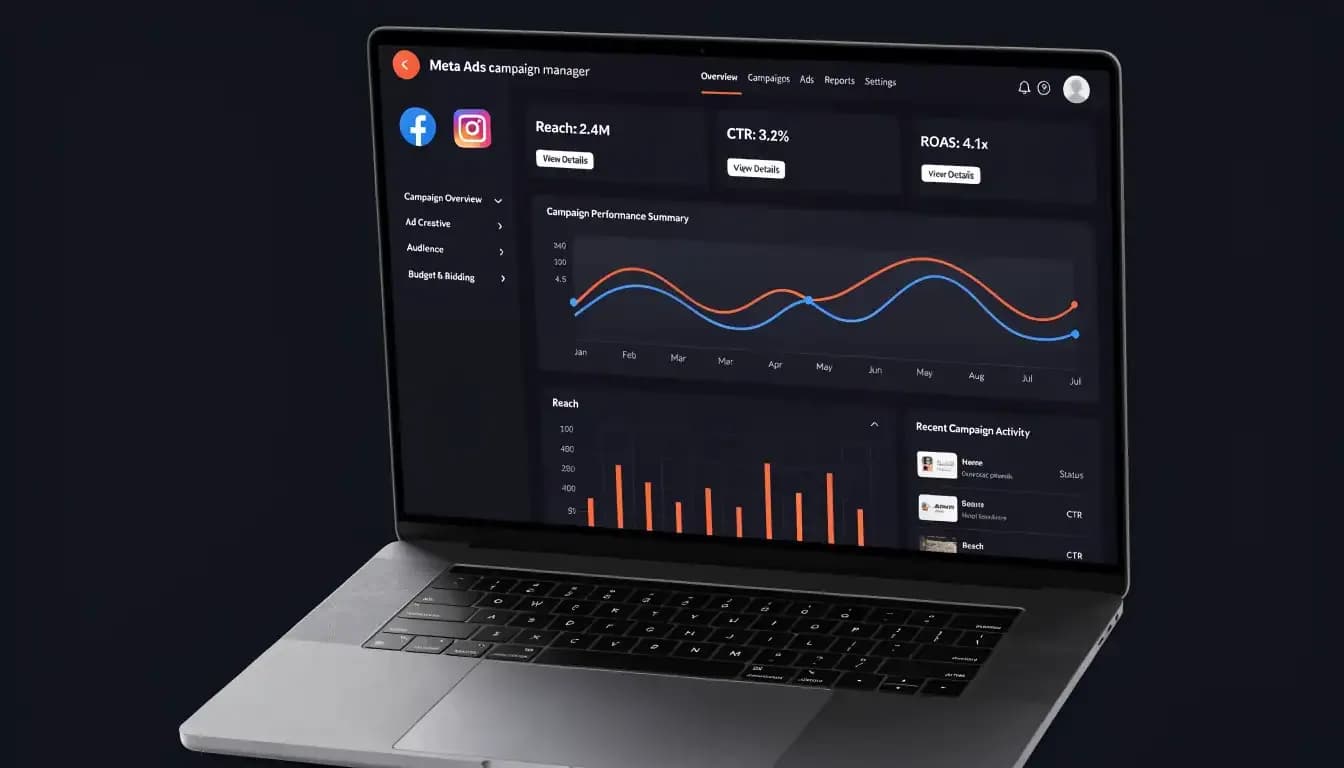
New to Meta Ads? Learn how to set up Facebook & Instagram ad campaigns from scratch — targeting, budgets, formats & mistakes to avoid. Start now.
Quick Answer: Meta Ads is Meta's unified advertising platform that lets businesses run paid campaigns across Facebook, Instagram, Messenger, and the Audience Network from a single dashboard. You create a campaign, choose an objective, define your target audience, set a budget, design your creative, and publish — with results tracked in real time inside Meta Ads Manager.
You've seen the "Boost Post" button a hundred times. Maybe you've even clicked it. But if you want to run advertising that actually drives traffic, leads, or sales — not just vanity likes — you need to understand how Meta Ads really works. The platform reaches over 3 billion people across Facebook, Instagram, Messenger, and beyond, making it one of the most powerful paid advertising tools available to any business, regardless of size or budget.
This guide walks you through everything from the basic question of "what are Meta Ads?" all the way to common pitfalls that drain budgets and the smart way to avoid them.
What Are Meta Ads?
Meta Ads (formerly Facebook Ads) is the advertising platform run by Meta Platforms — the company behind Facebook, Instagram, Messenger, and WhatsApp. Through a single centralized interface called Meta Ads Manager, businesses of all sizes can create, manage, and optimize paid campaigns that appear across Meta's entire family of apps.
When you run a Meta ad, you're not just advertising on Facebook. Depending on your placement settings, your ad can appear in:
- Facebook Feed and Facebook Reels
- Instagram Feed, Instagram Stories, and Instagram Reels
- Messenger inbox
- Meta Audience Network — third-party apps and websites that partner with Meta
This cross-platform reach is one of the biggest advantages Meta Ads holds over most other social advertising platforms. You design the creative once, set your targeting, and Meta's algorithm distributes it where it's most likely to perform.
Meta's system uses campaign objectives to guide delivery. Tell it you want more website traffic, and it finds users who are likely to click links. Tell it you want purchases, and it optimizes for buyers. The algorithm is built to work toward the goal you define — which is why choosing the right objective is so critical.
Why Meta Ads Work — The Numbers
Meta's advertising platform is one of the most data-rich ad environments in the world. Here's what that means in practice:
- 3.07 billion users are targetable through Meta's advertising system, with highly granular demographic and behavioral data attached to each profile.
- Meta's global advertising revenue is projected to exceed $230 billion in 2026, which signals massive confidence from advertisers worldwide.
- The average cost-per-click (CPC) across all industries on Facebook sits at $1.14, making it cost-competitive with many other paid channels.
- For leads-focused campaigns, the average CPC is $1.92 with an average conversion rate of 7.72% — solid numbers for most B2C and B2B verticals.
- Video ads now account for more than 37.5% of total ad spend on the platform, driven by Reels placements.
- Advertisers using Meta's AI-powered campaign tools (like Advantage+) are reportedly earning $4.52 for every dollar spent.
What makes Meta particularly powerful is the targeting depth. While Google Ads catches people actively searching for something, Meta Ads lets you reach people based on who they are — their interests, behaviors, demographics, life events, and purchase intent signals. That's a fundamentally different (and in many cases more scalable) lever for growth.
Meta Ads vs. Google Ads: Key Differences
Both Meta Ads and Google Ads are essential parts of a paid advertising strategy, but they serve different moments in the buyer journey.
Meta Ads | Google Ads | |
|---|---|---|
Intent | Interest-based / Interrupt | Search-based / Intent-driven |
Audience | Defined by who you are | Defined by what you search |
Ad formats | Visual (image, video, carousel) | Text-heavy (search ads), display |
Funnel stage | Best for awareness & consideration | Best for decision-stage capture |
CPC benchmark | ~$1.14 average | ~$2–$4 average (varies widely) |
Strength | Scale and reach | High-intent demand capture |
Meta Ads tend to outperform Google Ads at the top of the funnel — building brand awareness, generating leads through interest targeting, and reaching audiences who don't yet know they need your product. Google Ads excels at capturing existing demand. For a balanced digital advertising strategy, you want both. For a deep comparison, see our article on Facebook Ads vs. Google Ads.
Types of Meta Ad Formats
Meta supports a wide variety of ad formats, each suited to different goals and creative approaches. Here's what's available:
Image Ads
The simplest format. A single static image with headline, body text, and a call-to-action button. Best for clear, high-impact messages where one strong visual does the work.
Video Ads
From 1-second clips to 15-minute videos. Short-form (under 15 seconds) generally outperforms for mobile feeds and Reels. Video ads are effective for storytelling, product demos, and brand awareness.
Carousel Ads
Up to 10 images or videos in a single ad, each with its own link. Ideal for showcasing multiple products, telling a step-by-step story, or highlighting different features of one product.
Stories Ads
Full-screen vertical format (9:16) shown between Stories on Facebook and Instagram. High-attention placement — users are already in an immersive, full-screen mode. Best with bold visuals and a clear CTA.
Reels Ads
Short-form vertical video ads that appear between Instagram Reels and Facebook Reels. Currently one of the highest-reach, lowest-cost placements due to Reels' continued growth.
Collection Ads
A cover image or video followed by a grid of product images below it. Taps directly into product catalogs — ideal for e-commerce. Clicking opens a fast-loading Instant Experience.
Instant Experience (formerly Canvas)
A full-screen mobile landing page that loads instantly within the Meta app, without taking users to an external website. Excellent for immersive brand storytelling or product showcases.
The right format depends on your goal, your audience, and your creative assets. A common approach is to test two or three formats against each other before committing your budget to one.
How to Set Up Your First Meta Ad Campaign
Setting up your first campaign in Meta Ads Manager takes about 20 minutes once your account is ready. Here's the step-by-step:
Step 1: Create a Meta Business Suite Account
Go to business.facebook.com and set up your Meta Business Suite. This free hub connects your Facebook Page, Instagram profile, and Ads Manager under one roof. You'll also need to verify your domain and install the Meta Pixel (or Conversions API) on your website — this is what allows Meta to track what happens after someone clicks your ad.
Step 2: Open Meta Ads Manager
Navigate to Ads Manager within Business Suite. This is your campaign control center — where you create, manage, and analyze everything.
Step 3: Click "Create" and Choose a Buying Type
You'll be asked to choose between:
- Auction — More flexible, lower minimum spend, performance varies. Best for most advertisers.
- Reservation — Lock in impressions in advance at predictable CPMs. Best for large brand campaigns.
For beginners, Auction is the right choice.
Step 4: Choose Your Campaign Objective
Meta organizes objectives into six categories: Awareness, Traffic, Engagement, Leads, App Promotion, and Sales. Choose based on what you actually want:
- Building brand recognition → Awareness
- Driving clicks to your website → Traffic
- Getting form fill-outs → Leads
- Driving purchases → Sales (requires Pixel)
Step 5: Set Your Budget and Schedule
Decide between a Daily Budget (Meta spends up to X per day) or a Lifetime Budget (Meta spends X total over a set period). Set a start and optional end date.
Step 6: Define Your Audience
Choose who sees your ad. You can use Advantage+ Audience (Meta's AI picks the best audience based on your pixel data) or define it manually by location, age, gender, interests, and behaviors.
Step 7: Choose Placements
Advantage+ Placements lets Meta serve ads wherever performance is highest across all apps and formats. Manual Placements lets you pick specific platforms and positions. For beginners, Advantage+ Placements typically yields better results with less setup.
Step 8: Create Your Ad
Upload your image or video, write your headline and primary text, add a call-to-action button, and link to your destination URL. Preview how it looks across different placements before publishing.
Step 9: Review and Publish
Meta reviews new ads against its Advertising Standards — approval typically takes minutes to a few hours. Once approved, your campaign goes live.
Meta Ads Targeting: Reach the Right Audience
Targeting is where Meta Ads separates itself from almost every other advertising platform. Here's a breakdown of your main options:
Core Audiences
Define your audience by location, age, gender, language, interests (pages they follow, topics they engage with), and behaviors (purchase patterns, device usage, travel frequency). This is the standard starting point for most campaigns.
Custom Audiences
Upload your existing customer data — email lists, phone numbers, website visitors (via Pixel), app users — and Meta matches it to real profiles. This allows you to re-target people who've already shown interest in your brand, or exclude existing customers from acquisition campaigns.
Lookalike Audiences
Feed Meta a source audience (your best customers, top purchasers, email subscribers), and it finds users who share similar characteristics. A 1% Lookalike of your customer list is typically your highest-quality cold audience — people who look exactly like your buyers but haven't discovered you yet.
Advantage+ Audience
Meta's AI-powered targeting mode. You provide optional targeting signals (age range, interests), and Meta's algorithm expands or adjusts as it learns who actually converts. Increasingly recommended for campaigns with sufficient Pixel data.
Pro tip: For your first campaign, start with a Custom Audience of website visitors or email subscribers for retargeting. Then build a Lookalike Audience from your best customers for prospecting. These two alone outperform broad interest targeting in most scenarios.
Meta Ads Budgeting: How Much Should You Spend?
There's no universal budget requirement — Meta lets you start with as little as $1/day on some campaign types. But "how much should I spend?" really depends on your objective.
Realistic Starting Budgets
Goal | Minimum Recommended Daily Budget |
|---|---|
Brand awareness (broad reach) | $5–$15/day |
Traffic to website | $10–$20/day |
Lead generation | $20–$50/day |
E-commerce sales | $30–$100/day |
CPM vs. CPC Bidding
- CPM (Cost Per 1,000 Impressions): You pay for reach. Best for awareness objectives where engagement isn't the primary goal.
- CPC (Cost Per Click): You pay when someone clicks. Average CPC across industries is around $1.14, but it varies significantly — retail clicks are cheaper, finance and legal are more expensive.
- CPA (Cost Per Action): Meta charges only when a specific conversion happens (form fill, purchase). Requires sufficient Pixel data to work well. Median CPA across industries is approximately $38.19 as of 2026 benchmarks.
Bidding Strategies
- Highest Volume (default): Meta maximizes results within your budget. Best for beginners.
- Cost Per Result Goal: Set a target cost, and Meta tries to stay at or below it while maximizing volume.
- Minimum ROAS: For e-commerce, set a minimum return on ad spend target. Only activates delivery when ROAS can likely be met.
Rule of thumb: Give any new campaign at least $500–$1,000 in total spend and 7–14 days before drawing conclusions. Meta's algorithm needs a learning phase (typically 50 optimization events) before it performs at full efficiency.
Common Meta Ads Mistakes to Avoid
Even experienced marketers make these. If you're just starting with Facebook advertising, knowing these pitfalls saves you significant budget.
1. Choosing the wrong campaign objective
If you optimize for Traffic but want purchases, Meta delivers clicks — not buyers. Always match your objective to your actual business goal.
2. Skipping the Meta Pixel
Without the Pixel (or Conversions API) installed on your website, Meta can't track what happens after the click. You're flying blind on conversions, and the algorithm can't optimize for them.
3. Audience targeting that's too broad or too narrow
Too broad means wasted spend on irrelevant users. Too narrow (audience size under ~200,000) means high CPMs and limited delivery. For most campaigns, aim for an audience between 500,000 and 5 million.
4. Running one ad with no variation
A single ad exhausts its audience quickly — this is called ad fatigue. Run 3–5 creative variations per ad set. Meta automatically prioritizes the best performer.
5. Ignoring the learning phase
Making major changes (budget, targeting, creative) before reaching 50 optimization events resets the learning phase. Give campaigns room to learn before optimizing.
6. Not using retargeting
Most people won't buy on their first visit. A retargeting campaign targeting website visitors, video viewers, or Instagram profile engagers is often the highest-ROAS campaign in an account.
7. Neglecting ad creative quality
Meta's own research consistently shows that creative is the #1 performance variable in Meta Ads — more impactful than targeting or bidding. Invest in strong visuals, clear messaging, and compelling CTAs.
How Allable Helps You Run Better Meta Ads
Running Meta Ads well requires more than just clicking buttons in Ads Manager. You need compelling copy, strategic targeting decisions, strong creative direction, and ongoing performance analysis — typically spread across multiple tools and team members.
Allable brings all of that under one AI-powered roof.
With Allable, you can:
- Generate ad copy and headlines for every placement and format — Facebook feed, Instagram Stories, Reels — in seconds, optimized for your campaign objective and audience
- Create on-brand ad images with a single prompt, using Allable's built-in AI image generation tuned for dark-mode, high-contrast social creative
- Build your ad strategy using Allable's AI marketing strategy engine, which analyzes your goals and recommends campaign structure, budget allocation, and targeting approaches
- Monitor performance across all your campaigns in a unified dashboard with AI-generated insights that flag issues before they cost you budget
- Write competitor-aware ads by letting Allable analyze what's working for competitors in your space and incorporate those insights into your creative
Instead of bouncing between Ads Manager, Canva, ChatGPT, and a spreadsheet, Allable lets you go from brief to live campaign in a fraction of the time — while maintaining the strategic depth that separates good campaigns from great ones.
Whether you're an SMB running your first campaign or an agency managing dozens of client accounts, Allable's all-in-one approach means less tool-switching and more results. Learn more about Allable's AI marketing strategy features.
Frequently Asked Questions
What's the difference between Meta Ads and Facebook Ads?
They're the same thing. Meta Ads is the new name for what was previously called Facebook Ads, following Facebook's corporate rebranding to Meta in 2021. The platform still covers Facebook, Instagram, Messenger, and the Audience Network.
How much do Meta Ads cost for a small business?
You can start with as little as $5–$10/day. Average CPC across industries is around $1.14, and average CPM (cost per 1,000 impressions) is approximately $14.19. Most small businesses test with $300–$500/month before scaling what works.
Do I need a Facebook Page to run Instagram ads?
Yes. A Facebook Business Page is required to run ads through Meta Ads Manager, including Instagram placements. Your Instagram account can be linked through Meta Business Suite.
What is the Meta Pixel and do I need it?
The Meta Pixel is a small piece of code you add to your website that tracks visitor behavior and reports it back to Meta. It's essential for conversion-based campaigns (lead gen, sales), retargeting, and Lookalike Audience creation. You absolutely need it.
How long does it take for Meta Ads to work?
Meta's algorithm needs a learning phase of roughly 50 optimization events (clicks, leads, purchases) before it performs at full efficiency. For most campaigns, budget for at least 7–14 days of data before making changes or drawing conclusions.
What's a good CTR for Meta Ads?
The average CTR for leads campaigns across all industries is 2.59% (2025 benchmark). A strong CTR is above 3%; below 1% typically signals a creative or audience relevance issue.
Can I run Meta Ads without a website?
Yes — Meta offers Lead Ads that collect form submissions directly within the app, without requiring users to leave Facebook or Instagram. This is a popular option for businesses without a dedicated landing page.
Ready to put this into practice? Start your first campaign in Allable and let AI handle the copy, creative, and strategy — so you can focus on the results.