
You've done the keyword research. You've written the content. You're about to hit "Publish" — but are you actually ready?
Most pages that fail to rank don't fail because of backlinks or domain authority. They fail because of fixable on-page SEO issues: a missing meta description, a poorly structured URL, images without alt text, or content that doesn't match what the searcher actually wants. These are problems you control entirely. And yet they're the ones most often skipped.
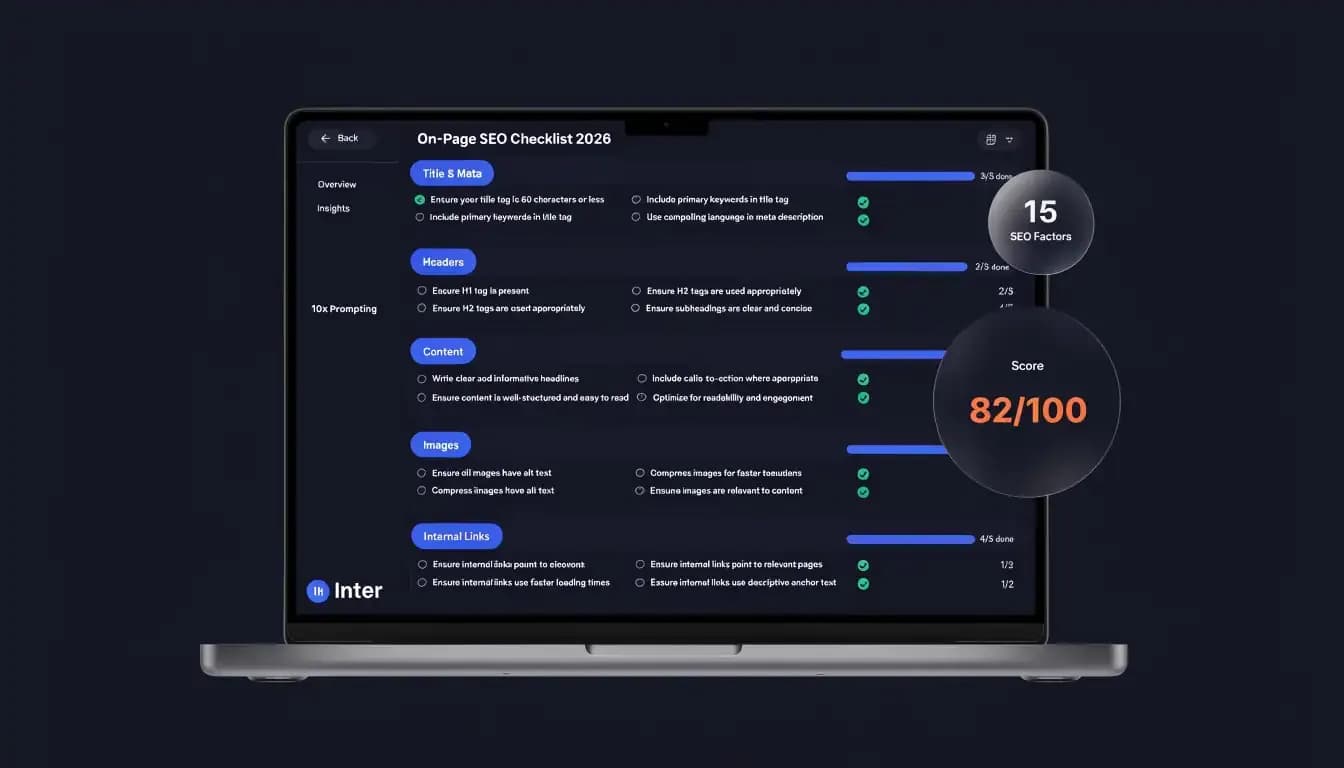
This on-page SEO checklist gives you 15 specific factors to audit before every single page goes live. Whether you're optimizing an existing article or preparing a brand-new landing page, run through this list and you'll publish with confidence. Each item is explained, contextualized, and paired with a practical tip so you know exactly what "done" looks like.
What Is On-Page SEO?
On-page SEO refers to every optimization you make directly on a web page — the content, the HTML, the structure, and the user experience — to help it rank higher in search results and better serve the people reading it.
Unlike off-page SEO (backlinks from other sites) or technical SEO (server configuration, crawlability at scale), on-page SEO is entirely within your control. You decide the title tag. You write the meta description. You choose the URL slug and place the internal links.
For a deeper dive into the broader discipline, check out our complete on-page SEO guide. But if you want a fast, actionable reference before hitting publish, this on page seo audit checklist is exactly what you need. These 15 factors cover the most impactful optimizations across content, technical elements, user experience, and site structure.
The 15-Point On-Page SEO Checklist
Content Factors
1. Keyword Research Done Before You Write
Before a single word of content gets written, you need to know which keyword you're targeting — and why. Your primary keyword defines the entire page: what the title says, what the H1 contains, which questions you answer in the body, and how you frame the conclusion.
When choosing a keyword, look at three factors: search volume (is anyone searching for this?), keyword difficulty (can you realistically rank?), and search intent (does this keyword match what your page actually delivers?). A page optimized for the wrong intent — commercial content targeting an informational keyword, for example — will struggle no matter how well-written it is.
Pro tip: Use keyword research tools to find related secondary keywords and LSI (Latent Semantic Indexing) terms. Sprinkling these naturally throughout the page helps Google understand your topic in context, not just as a single phrase.
2. Title Tag Optimized for Click-Through Rate
Your title tag is the most influential on-page SEO element. It appears as the clickable headline in search results and in the browser tab, and Google has explicitly stated that high-quality titles are important for ranking.
A well-optimized title tag should be 50–60 characters long (longer titles get truncated in SERPs), include your primary keyword as close to the front as possible, and be written to earn clicks — not just to satisfy crawlers. Think about what would make a searcher choose your result over the nine others on the page.
Pro tip: Avoid writing the same title tag formula for every page. A pricing page, a blog post, and a product category page serve different intents — and their titles should reflect that.
3. Meta Description That Earns the Click
The meta description doesn't directly influence rankings — Google confirmed this long ago. But it absolutely influences click-through rate, which means it affects how much organic traffic you actually get from a ranking position.
Keep your meta description between 150–160 characters. Include your primary keyword (Google bolds it in the SERP when it matches the search query, which increases visual salience). Write a clear, compelling summary that tells the searcher exactly what they'll get if they click — and consider ending with a soft call to action.
Pro tip: Every page on your site should have a unique meta description. Duplicate descriptions are a missed opportunity at best, and a crawl waste signal at worst.
4. Header Tags (H1–H3) Structured Logically
Header tags serve two audiences at once: they help search engines understand the hierarchy and structure of your content, and they help readers scan quickly to find what they're looking for. Both matter.
Use exactly one H1 per page — this should contain your primary keyword and match (or closely resemble) your title tag. Your H2 tags define the major sections of the page; each one is an opportunity to include a secondary keyword naturally. H3 tags and below handle sub-topics within each section.
A logical heading structure also makes your content far more likely to be cited in AI Overviews and featured snippets, since search engines can extract clearly labeled sections to answer specific queries.
Pro tip: Write H2s as questions when appropriate — this directly mirrors how searchers phrase queries, and it increases your chances of appearing in the "People Also Ask" box.
5. Content That Matches Search Intent and Adds Real Value
This is the factor that separates pages that rank from pages that almost rank. Google's core job is to match search queries to the most satisfying answer — and "satisfying" is defined by the searcher's intent, not just keyword density.
Before writing, search your target keyword and look at the top 5–10 results. Are they listicles? In-depth guides? Product pages? Short how-to articles? That format is the intent signal. Match it. Then go further: ask yourself what genuine insight, data, or perspective your page adds that the others don't. This "information gain" is increasingly what separates top-3 rankings from page-2 obscurity.
Content quality checklist:
- Does the content fully answer the query?
- Is there at least one unique insight, data point, or perspective?
- Is the content accurate and up to date?
- Does it demonstrate E-E-A-T (Experience, Expertise, Authoritativeness, Trustworthiness)?
Pro tip: If you're updating existing content, check whether the page still matches the current search intent for its keyword — intent can shift over time as a topic evolves.
Technical On-Page Factors
6. URL Slug That's Short and Descriptive
Your URL is a ranking signal, a user trust signal, and a UX element all rolled into one. A clean URL tells both crawlers and readers what the page is about before they've read a single word of content.
Follow these rules: keep it short (3–5 words is ideal), include your primary keyword, use hyphens to separate words (not underscores), and remove unnecessary words like "the," "a," or "and." Avoid dynamic parameters, random numbers, and dates unless absolutely necessary.
Good example: /blog/on-page-seo-checklist
Bad example: /blog/2025/04/13/the-complete-guide-to-on-page-seo-checklist-for-beginners
Pro tip: Once a URL is live and indexed, changing it requires a 301 redirect. Get it right the first time.
7. Page Speed and Core Web Vitals
Page speed is a confirmed Google ranking factor for both desktop and mobile. But beyond rankings, it directly affects whether users stay on your page or bounce before it finishes loading. A one-second delay in mobile page load time increases bounce rate by up to 32% (source: Google/Deloitte study).
Google measures page performance using Core Web Vitals — three metrics that capture real-world user experience:
- LCP (Largest Contentful Paint): How long does the main content take to load? Target: under 2.5 seconds.
- INP (Interaction to Next Paint): How responsive is the page to user input? Target: under 200 milliseconds.
- CLS (Cumulative Layout Shift): Does the page shift around as it loads? Target: under 0.1.
Check your scores free in Google PageSpeed Insights. Quick wins include compressing images, enabling browser caching, reducing unused JavaScript, and using a fast hosting provider.
Pro tip: When two pages have similar content and keyword relevance, the one with better Core Web Vitals scores will typically rank higher. Don't treat this as optional.
8. Mobile-Friendliness
Google has used mobile-first indexing since 2019, which means the mobile version of your page is the one Google crawls, indexes, and ranks — not the desktop version. If your mobile experience is broken, your rankings will reflect that regardless of how good the desktop version looks.
Test your page using Google's Mobile-Friendly Test (search.google.com/test/mobile-friendly). Check for: text that's readable without zooming, buttons and links that are easy to tap, no horizontal scrolling, and no content that's hidden or broken on small screens.
Pro tip: Use Google Search Console's "Mobile Usability" report to identify specific pages with mobile issues across your entire site at once, rather than testing them one by one.
9. Schema Markup (Structured Data)
Schema markup is code you add to your page that helps search engines understand your content in structured, machine-readable terms. It doesn't guarantee higher rankings on its own — but it can unlock rich results (star ratings, FAQ dropdowns, breadcrumbs, event times) that dramatically increase click-through rates and SERP real estate.
For blog articles and content pages, the most useful schema types include:
- Article schema — signals that the page is editorial content with an author and publish date
- FAQ schema — makes FAQ sections expandable directly in the SERP
- HowTo schema — turns step-by-step guides into rich SERP snippets
- Breadcrumb schema — shows site hierarchy in search results
Pro tip: Schema is also becoming important for AI Overview citations. Pages with clear structured data are easier for AI systems to parse, cite, and surface in generated answers.
10. Canonical Tag Set Correctly
A canonical tag (<link rel="canonical" href="...">) tells Google which version of a page is the "official" one you want indexed. This matters more than most people realize — if you have similar or identical content accessible via multiple URLs (with and without trailing slashes, HTTP vs. HTTPS, with UTM parameters, etc.), Google may split ranking signals across those variants instead of consolidating them on the page you care about.
Every page should either have a self-referencing canonical (pointing to itself) or a canonical pointing to the authoritative version of that content.
Pro tip: If you ever syndicate your content to other sites, ask the publisher to set a canonical pointing back to your original URL. This prevents the syndicated copy from competing with — or outranking — your source.
UX and Engagement Factors
11. Readability and Content Formatting
A page that's hard to read is a page people leave. And when users leave quickly, that behavioral signal is one Google pays attention to. Good formatting isn't just an aesthetic choice — it's an SEO factor.
Structure your content for scanners. Most readers don't read web pages linearly; they scan first to confirm relevance, then read in depth. Use:
- Short paragraphs (2–4 sentences max)
- Bold text to highlight key terms and takeaways
- Bullet points and numbered lists for anything sequential or enumerable
- Clear H2 and H3 subheadings to break up sections
- A table of contents for long-form content
Use plain language. Avoid jargon unless your audience specifically uses it. A good readability target is a Flesch reading ease score of 60+, which corresponds to roughly 8th-grade reading level.
Pro tip: Read your content out loud before publishing. If a sentence makes you stumble, rewrite it. If a paragraph feels dense, break it up.
12. Image Optimization
Images make content more engaging and keep readers on the page longer. But unoptimized images are one of the most common causes of slow page load times — and they're a missed SEO opportunity.
For every image on a page, check:
- Alt text: A short, descriptive phrase that includes relevant keywords where natural. This helps both Google Images ranking and screen reader accessibility.
- File name: Use descriptive, hyphen-separated names (e.g.,
on-page-seo-checklist.jpg) instead ofIMG_4823.jpg. - File size: Compress images before upload. WebP format offers excellent quality at significantly smaller file sizes than JPEG or PNG.
- Lazy loading: Implement
loading="lazy"on images below the fold so they only load when the user scrolls to them.
Pro tip: Images can rank in Google Images and drive separate traffic streams — especially for visual topics, infographics, and how-to content with diagrams.
13. Featured Snippet and AI Overview Optimization
Featured snippets (the answer boxes at the top of many SERP pages) can generate significant traffic even without being in the #1 organic position. And in 2025–2026, being cited in Google AI Overviews and tools like ChatGPT is an increasingly valuable source of visibility.
To optimize for featured snippets:
- Answer the target question in a concise paragraph (40–60 words) near the top of the relevant section
- Use definition-style phrasing ("On-page SEO is...") for definitional queries
- Use numbered or bulleted lists for "how to" or "best of" queries — Google often pulls these directly
- Structure your content with clear, matching H2/H3 headers for the questions you're trying to own
Ahrefs published a case study showing that adding a single concise answer paragraph to a post won the page 163 additional featured snippets. The format matters.
Internal Linking and Structure
14. Internal Links with Descriptive Anchor Text
Internal links are one of the most underused on-page SEO levers. When you link from one page to another on your site, you do three things simultaneously: you help users discover related content, you help search engines understand the relationship between your pages, and you pass PageRank (link equity) from stronger pages to weaker ones.
The key is anchor text. Use descriptive, keyword-relevant anchor text — not generic phrases like "click here," "read more," or "this article." Descriptive anchors tell Google what the linked page is about, which reinforces its topical relevance.
For every page you publish, ask:
- Does this page link to at least 2–3 related pages on my site?
- Are the anchor texts descriptive and varied?
- Does this page receive internal links from other relevant pages?
For a full breakdown of the best tools to manage this, see our guide to on-page SEO tools.
Pro tip: Don't link just for the sake of it. Every internal link should genuinely help the reader find related, useful content.
15. Topic Cluster and Pillar Page Structure
The final factor isn't about a single page — it's about how your page fits into your overall site structure. Google increasingly evaluates topical authority: do you have comprehensive, interconnected coverage of a subject? A single well-optimized article has limited power. But that same article as part of a tight cluster of related content — linked to and from a central pillar page — can rank much more easily.
A topic cluster model looks like this: one broad pillar page covers a topic comprehensively at a high level (e.g., "The Complete On-Page SEO Guide"), and several cluster articles dive deep into specific subtopics (like this checklist). All cluster articles link back to the pillar, and the pillar links out to all clusters. This structure signals depth of expertise to Google and distributes internal link equity efficiently.
Before you publish, confirm:
- Does this page link back to the relevant pillar page?
- Does the pillar page link to this page?
- Is there a logical content hierarchy that a crawler (and a reader) can follow?
For more on building keyword-informed clusters, see our keyword research guide.
How to Use This Checklist Efficiently
Running through 15 SEO factors manually on every page isn't realistic at scale — but getting into the right workflow makes it much faster.
For new content:
Start at item 1 (keyword research) before you write a single word. By the time you've written the piece with keyword intent in mind, factors 2–5 are largely handled. Then spend 15–20 minutes on the technical items (6–10) before you hit publish. Items 11–15 are mostly about formatting decisions and site structure — habitual choices that become faster over time.
For existing content:
Prioritize your highest-traffic and highest-potential pages first. Run an on page seo audit tool to identify which factors are missing at scale before manually reviewing individual pages.
Recommended tools for this checklist:
- Google Search Console — monitor indexing, Core Web Vitals, and search performance
- Google PageSpeed Insights — check LCP, INP, and CLS scores
- Google's Mobile-Friendly Test — validate mobile usability per page
- Allable.ai's On-Page SEO Optimizer — automatically checks all 15 factors above and surfaces prioritized recommendations in seconds (try it here)
- Screaming Frog — crawl your entire site to catch missing metadata, broken links, and structural issues
Common On-Page SEO Mistakes to Avoid
Even experienced content teams make these. Knowing what to avoid is as useful as knowing what to do.
Keyword stuffing — Forcing your keyword into every paragraph, every heading, and every alt text doesn't help; it actively hurts. Google's algorithms are sophisticated enough to detect manipulation, and over-optimized pages can trigger manual penalties. Use your keyword where it makes sense, and fill in the rest with related, natural language.
Missing or duplicate metadata — Every page needs a unique title tag and meta description. Sites with hundreds of pages often have dozens of duplicates — usually because templates were copy-pasted. Run a site crawl to find them.
Thin content — A 200-word page rarely satisfies a searcher's query comprehensively. If your page doesn't provide enough depth to earn a click from search (and keep that visitor engaged), it will struggle to rank regardless of other optimizations.
Orphan pages — Pages with no internal links pointing to them are essentially invisible to crawlers. Make sure every page on your site can be reached through at least one clear internal link path from your homepage or pillar pages.
Ignoring content freshness — Google values freshness for time-sensitive topics. Review your high-ranking content annually (or more often in fast-moving industries) and update statistics, examples, and recommendations to keep it accurate and current.
Skipping schema markup — Schema is often treated as optional, but it's one of the fastest ways to increase SERP visibility without changing your rankings. If you have FAQ content, implement FAQ schema. If you have step-by-step instructions, implement HowTo schema. It takes 15 minutes and can meaningfully improve CTR.
Frequently Asked Questions
What is the most important on-page SEO factor?
Content quality and search intent match are arguably the most critical. You can have perfect metadata and a fast page, but if the content doesn't satisfy the searcher's query, you won't rank — or hold rankings — consistently. That said, the title tag is the single most impactful HTML element, since it directly shapes how your page is represented in search results.
How long does on-page SEO take to show results?
Generally 4–12 weeks for new pages in competitive niches, though pages on established domains with good authority can see movement in 2–4 weeks. Technical fixes (like adding missing alt text or correcting a canonical) can sometimes see results faster since they remove blockers for crawlers that were already visiting the page.
What's the difference between on-page SEO and technical SEO?
On-page SEO covers the content and HTML elements on individual pages — titles, headings, content, internal links, and structured data. Technical SEO covers site-wide infrastructure: server configuration, crawl budget, XML sitemaps, HTTPS, page speed at scale, and JavaScript rendering. There's overlap (page speed and Core Web Vitals apply to both), but the distinction is whether you're optimizing a specific page or the site's technical foundation.
Do I need to re-optimize a page after I've published it?
Yes. SEO isn't a one-time task. Content drifts out of date, competitors publish better resources, and search intent for a keyword can shift over time. Plan a content audit cycle — review your key pages at least once a year and update anything that's stale, incomplete, or no longer aligned with current SERP intent.
Can I use AI tools for on-page SEO?
Absolutely — and they've gotten genuinely useful. AI tools can help with title tag variations, meta description drafts, schema code generation, content gap identification, and keyword clustering. The key is using AI to speed up execution, not to replace judgment. An AI tool won't tell you whether your content adds genuine value that a competitor's doesn't — that's still a human call.
Run This Checklist in Seconds, Not Hours
Going through 15 on-page SEO factors manually for every page you publish takes time. Multiply that across a content team publishing 10–20 articles a month, and it becomes a real bottleneck.
That's exactly why Allable.ai's On-Page SEO Optimizer exists. It automatically checks all 15 factors in this checklist — title tag, meta description, heading structure, content quality signals, Core Web Vitals readiness, internal links, schema, and more — and surfaces a prioritized list of improvements with specific, actionable recommendations.
Instead of switching between five different tools and manually auditing each element, you get a complete on page seo audit in seconds. Whether you're a solo content creator, a growing startup, or an agency managing multiple client sites, it gives you the on-page SEO visibility you need without the manual overhead.
The 15 factors in this checklist work. Apply them consistently before every page goes live, and you'll publish content that's genuinely ready to rank — not just ready to go.