
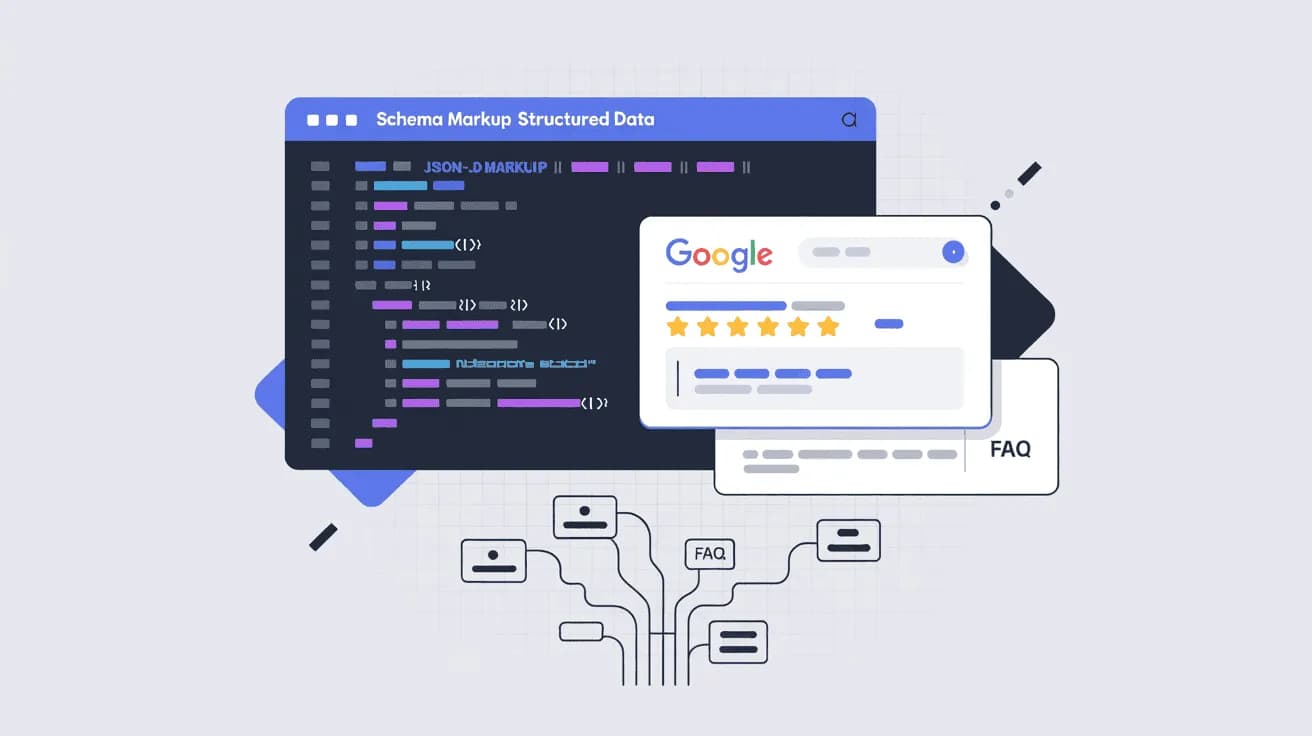
Beginner's guide to schema markup and structured data for SEO. Learn how to add JSON-LD schema, the 8 most valuable schema types, and how to test your implementation.
TL;DR: Schema markup is code you add to your webpage to help search engines understand what your content means — not just what it says. It can unlock rich results in Google (star ratings, FAQ dropdowns, event info), which drives significantly higher click-through rates. You don’t need to be a developer to get started.
What Is Schema Markup and How Does It Help Your SEO?
When Google crawls your page, it reads the text. But understanding context is harder. Is “4.8” a rating, a version number, or someone’s shoe size? Is “March 15” an event date or a publication date?
Schema markup answers those questions for the search engine. It’s a standardized vocabulary of code that you add to your page’s HTML — not visible to your readers, but highly readable by Google, Bing, and other search engines. It tells them: this is a Product, its price is $47.99, and its aggregate rating is 4.8 from 312 reviews.
The result? Your page becomes eligible for rich results — visually enhanced search listings that show star ratings, FAQ accordion dropdowns, event dates, product prices, and more. These stand out dramatically on a crowded SERP and drive 20 to 40% higher click-through rates compared to standard blue links.
But schema’s value in 2026 extends beyond traditional search. In March 2025, both Google and Microsoft publicly confirmed they use schema markup for their generative AI features. If you want your content cited by Google’s AI Overviews, ChatGPT, or Perplexity, well-structured schema is one of the clearest signals you can send.
Let’s clear up three terms that trip people up constantly:
- Schema.org — the vocabulary itself (a shared dictionary of terms created in 2011 by Google, Bing, Yahoo!, and Yandex)
- Structured data — the actual data formatted according to that vocabulary
- Rich snippets / rich results — what shows up in Google’s search results when it reads your structured data and decides to display an enhanced listing
Schema markup is how you create structured data. Rich results are what you earn when you do it well.
If you’re working on the technical health of your site alongside structured data, Allable’s technical SEO audit tools can surface markup issues alongside other on-page signals.
How Schema Markup Works: JSON-LD, Microdata, and RDFa Explained
There are three formats for implementing schema markup. You don’t need to master all three — one is clearly the best choice.
JSON-LD (Recommended)
JSON-LD (JavaScript Object Notation for Linked Data) is Google’s explicitly recommended format. It lives inside a <script> tag in your page’s <head>, completely separate from your HTML content. This makes it easy to add, update, and maintain without touching your visible page markup.
A typical JSON-LD block looks like this:
<script type="application/ld+json">
{
"@context": "https://schema.org",
"@type": "Article",
"headline": "Schema Markup for Beginners",
"author": {
"@type": "Person",
"name": "Jane Smith"
}
}</script>
The key advantage: you can add or update it without redesigning your page layout. Google recommends placing JSON-LD in the <head> so it’s one of the first things a crawler encounters.
Microdata
Microdata wraps schema attributes directly around your existing HTML elements using itemscope, itemtype, and itemprop attributes. It was the original implementation method and still works, but it’s tightly coupled to your HTML structure — making updates more painful and error-prone.
RDFa
RDFa is similar to Microdata in that it’s inline with your HTML. It’s primarily used in academic and government contexts. For most website owners and marketers, it’s not worth the extra complexity.
The bottom line: Use JSON-LD unless you have a specific reason not to. It’s cleaner, easier to debug, and Google prefers it.
The 8 Most Valuable Schema Types for SEO
Schema.org lists over 700 types, but only a handful are genuinely worth your attention for SEO. Here are the eight that deliver the most impact:
Schema Type | Best For | Rich Result You Can Earn |
|---|---|---|
Article | Blog posts, news articles, how-to guides | Headline, author, publish date in search results; eligible for Top Stories |
FAQ | Pages with question-and-answer sections | Expandable FAQ dropdowns directly in the SERP |
Review | Product, book, software, or movie reviews | Star ratings below your listing (must be combined with Product, Book, etc.) |
Product | E-commerce product pages | Price, availability, ratings, shipping info in rich snippet |
HowTo | Step-by-step instructional content | (Rich results deprecated by Google in January 2026 — markup still valid for AI understanding) |
BreadcrumbList | Any page within a site hierarchy | Breadcrumb trail shown under your URL in search results |
LocalBusiness | Physical businesses, service area businesses | Enhanced business profile; supports Google Map Pack visibility |
Event | Concerts, webinars, workshops, conferences | Event module with date, location, and ticket links in Google search |
A few practical notes:
- Review schema changed in 2019 — you can no longer add a standalone self-serving review; it must be attached to a reviewable entity like a Product or Book.
- HowTo rich results were deprecated in January 2026 (Google removed the visual rendering), but adding HowTo schema still helps AI systems understand your step-by-step content.
- FAQ schema is one of the highest-value types for informational content — the accordion dropdowns take up significant SERP real estate and can double your visible footprint.
How to Add Schema Markup to Your Website (Step-by-Step)
You have several paths here, depending on your technical comfort level.
Option 1: Use a WordPress SEO Plugin
If your site runs on WordPress, plugins like Yoast SEO or Rank Math generate schema markup automatically based on your content type. Rank Math includes a visual schema builder where you can add, customize, and preview JSON-LD without writing a single line of code.
This is the fastest route for non-developers.
Option 2: Use Google’s Structured Data Markup Helper
Google provides a free Structured Data Markup Helper where you:
- Paste your page URL or HTML
- Select the schema type you want to add (Article, Product, Event, etc.)
- Highlight elements on your page and tag them
- Export the generated JSON-LD
It’s a good learning tool, though the output sometimes needs cleanup before publishing.
Option 3: Write JSON-LD Manually (or with AI)
If you’re comfortable with code, writing JSON-LD directly gives you the most control. Here’s a complete FAQ schema example — one of the most commonly used types for content-rich pages:
<script type="application/ld+json">
{
"@context": "https://schema.org",
"@type": "FAQPage",
"mainEntity": [
{
"@type": "Question",
"name": "What is schema markup?",
"acceptedAnswer": {
"@type": "Answer",
"text": "Schema markup is code you add to your webpage to help search engines understand the meaning of your content. It uses the vocabulary from Schema.org and is most commonly implemented in JSON-LD format."
}
},
{
"@type": "Question",
"name": "Does schema markup improve SEO rankings?",
"acceptedAnswer": {
"@type": "Answer",
"text": "Schema markup is not a direct ranking factor, but it can improve your click-through rate by enabling rich results in Google. Higher CTR signals relevance to Google and can indirectly improve your rankings over time."
}
},
{
"@type": "Question",
"name": "What is the best format for schema markup?",
"acceptedAnswer": {
"@type": "Answer",
"text": "Google recommends JSON-LD as the preferred format for schema markup. It sits in a separate script block in your page head and is easier to manage than inline Microdata or RDFa."
}
}
]
}</script>
Place this block inside the <head> section of your HTML. If you’re on a CMS, most platforms let you inject custom code into the head via a theme settings panel or plugin.
Pro tip: Tools like ChatGPT are excellent for generating JSON-LD drafts — they eliminate the syntax errors (missing commas, unclosed braces) that cause the most headaches. Always validate the output before publishing.
For deeper on-page guidance alongside schema, check out Allable’s on-page SEO optimizer which flags structured data opportunities as part of a full page analysis.
How to Test Your Schema Markup (Google’s Rich Results Test)
Adding schema is only half the job. You need to verify it’s valid before expecting results.
Google’s Rich Results Test
Google’s Rich Results Test is the primary tool for validating your schema. Enter your URL or paste your JSON-LD code directly, and it will:
- Confirm whether your markup is valid
- Show which rich result types your page is eligible for
- Flag any errors or warnings that might prevent rich results from appearing
Important caveat: passing the Rich Results Test means your markup is valid — it doesn’t guarantee Google will actually show a rich result. That’s Google’s editorial decision. But valid markup is the prerequisite.
Schema.org Validator
The Schema.org Validator checks your markup against the official vocabulary. It shows you all detected schema types on the page and flags errors. Unlike Google’s tool, it focuses on technical correctness rather than rich result eligibility.
What to Check During Testing
- No red errors — any error can prevent rich results from displaying
- Schema type matches your content — Google’s John Mueller has emphasized that the structured data must match the primary content on the page, not be added speculatively
- All required properties are present — each schema type has required fields; missing them will generate warnings at minimum
- URLs and dates are correctly formatted — these are common sources of validation errors
If you’re running a technical SEO checklist review, schema validation should be a standard checkpoint alongside canonical tags, Core Web Vitals, and crawlability.
Common Schema Markup Mistakes and How to Avoid Them
Even when people understand schema in principle, implementation errors are common. Here are the ones that cause the most problems:
1. Schema Type Doesn’t Match the Page
Adding FAQ schema to a page that doesn’t actually contain a FAQ section, or Product schema to a category page — Google explicitly looks for alignment between your schema and the primary content on the page. Mismatched schema can result in a manual action in severe cases.
2. Missing Required Properties
Every schema type has required and recommended properties. For Product schema, Google requires at minimum either name or image. For Review schema combined with Product, you need ratingValue and reviewCount. Skipping these means no rich result.
3. Syntax Errors in JSON-LD
Missing commas, unclosed curly braces, or incorrect quote types will invalidate your entire JSON-LD block. Always validate with Google’s Rich Results Test or the Schema.org Validator before publishing.
4. Marking Up Invisible or Hidden Content
Google’s guidelines are clear: you cannot mark up content that isn’t visible to users. Adding review schema for a rating that doesn’t appear on the page is a violation and can result in penalties.
5. Ignoring Updates to Schema Guidelines
Google’s structured data guidelines evolve. HowTo rich results were deprecated in January 2026. Review schema rules changed in 2019. Checking Google’s structured data documentation annually keeps you on the right side of these changes.
6. Forgetting to Update Schema After Content Changes
If your product price changes, your business hours shift, or your event is rescheduled — your schema needs to reflect that. Stale structured data can mislead users who see the old information in rich snippets before they even click.
Does Schema Markup Directly Improve Your Google Rankings?
This is one of the most debated questions in SEO, and the honest answer is: schema markup is not a direct ranking signal — but its indirect effects are real and significant.
Google’s public statements have consistently positioned schema as a tool for helping them understand content and enable rich results, not as a direct ranking booster. However, the indirect path is clear:
- Schema enables rich results → your listing takes up more SERP real estate
- Rich results increase CTR by 20–40% → more people click your result
- Higher CTR signals relevance to Google → can positively influence rankings over time
- Better content understanding → your page becomes eligible for features like AI Overviews and Top Stories
There’s also a competitive angle. If you’re in a niche where most competitors haven’t implemented schema — and several niches still haven’t — you gain a visible advantage in the SERP before rankings even come into play. A result with star ratings and FAQ dropdowns will draw more attention than a plain blue link, even if both rank at the same position.
The practical takeaway: treat schema markup as a CTR optimization layer that complements, rather than replaces, your core on-page SEO work. Learn how to rank in featured snippets as part of the same SERP visibility effort. If you’re also adding image schema, our guide to image SEO covers the relevant markup for photos and graphics.
Frequently Asked Questions About Schema Markup
What is the difference between schema markup and structured data?
Structured data is a broad term for any data formatted in a machine-readable way. Schema markup specifically refers to structured data that uses the Schema.org vocabulary. In practice, SEO professionals use both terms interchangeably.
Do I need to know how to code to add schema markup?
Not necessarily. WordPress plugins like Yoast SEO and Rank Math generate schema automatically. Google’s Structured Data Markup Helper also lets you create JSON-LD without writing code. That said, understanding the basics of JSON-LD syntax helps you troubleshoot issues when they arise.
How long does it take to see results after adding schema markup?
Google typically processes new schema markup within a few days to a few weeks. Rich results may not appear immediately — Google needs to recrawl your page and validate the markup before displaying enhanced results. Don’t expect instant changes; give it 4–8 weeks.
Can schema markup hurt my SEO?
Correctly implemented schema markup won’t hurt your SEO. However, misleading or spammy use of schema — like adding Review schema with fake ratings or marking up content that isn’t on the page — can trigger manual actions from Google’s spam team.
Which pages should I prioritize for schema markup?
Start with the pages most likely to earn rich results: product pages (Product schema), FAQ pages (FAQ schema), blog articles (Article schema), and if you have a physical location, your contact or location page (LocalBusiness schema). These deliver the clearest visibility gains.
Is JSON-LD better than Microdata?
Yes, for most use cases. JSON-LD is Google’s recommended format because it’s separate from your HTML, easier to update, and less likely to break when you redesign your page layout. Microdata works but creates maintenance overhead.
Does schema markup help with voice search and AI search?
Yes. Both voice assistants and AI systems like Google AI Overviews and Perplexity use structured data to understand content context and extract answers. Well-implemented schema makes your content easier to understand — and therefore more likely to be cited — across all search surfaces.
Start Optimizing Your Pages with Structured Data
Schema markup is one of those SEO tactics where the effort-to-impact ratio is genuinely favorable. A few hours of implementation work can permanently increase how your pages appear in Google, drive higher click-through rates, and prepare your content for AI-powered search.
The key steps: pick the right schema type for each page, implement in JSON-LD, validate with Google’s Rich Results Test, and keep your markup updated as your content changes.
Add schema markup and optimize your pages with Allable’s technical SEO tools — get structured data recommendations alongside full on-page and technical analysis, all in one platform.