
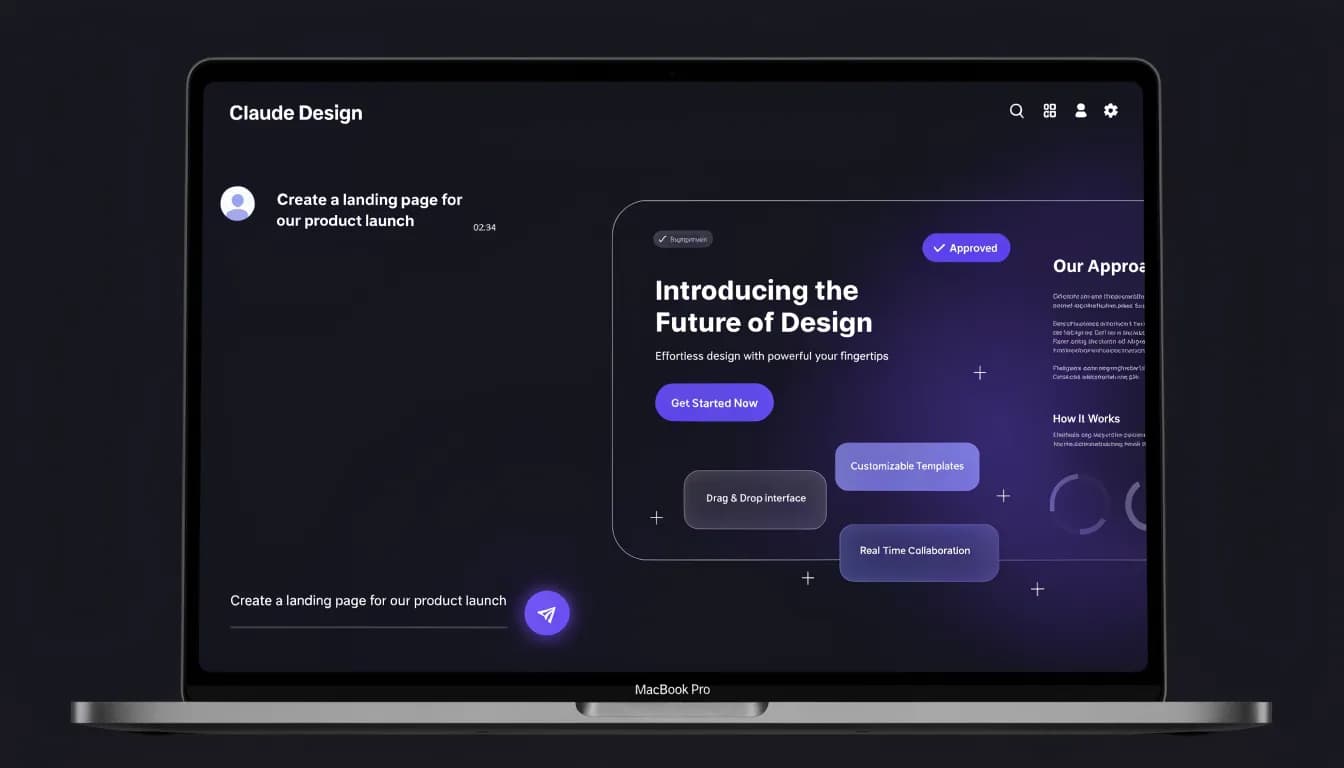
You've seen Claude Design in your Claude subscription. You clicked it once, maybe twice. Now someone on your team is asking if you should use it — and you're not sure what it actually does beyond making things look designed.
The tool that generated your competitor's last client pitch was probably not made by a designer. It took about 12 seconds and a single prompt. If you don't know which part of your Claude subscription can already do this, you're behind on something you didn't know was a race.
Launched on April 17, 2026, Claude Design is the part of Anthropic's Claude platform that turns plain-language prompts into polished, export-ready visuals. Actual presentations, reports, landing pages, and branded documents generated in seconds.
But here's what nobody tells you upfront: it's not a standalone product. It's not an app you download. You access it directly inside Claude.ai as a built-in capability known as the Claude Design skill. And it's already reshaping how non-designers on marketing teams produce work that used to require three rounds of Canva edits and a designer's approval.
What Claude Design Actually Is (and What It Isn't)
Claude Design is an AI-powered visual generation layer built directly into Claude — Anthropic's large language model platform. Think of it as Claude gaining the ability to show you things, not just tell you about them.
When you ask Claude a design-oriented question — "Create a pitch deck for a SaaS product targeting HR managers" or "Build a one-page report summarizing our Q2 performance" — Claude Design kicks in. It doesn't just describe what a good deck would look like. It builds one.
What Claude Design creates:
- Presentations and slide decks
- One-page reports and documents
- Landing page mockups
- Data visualizations and charts
- Marketing briefs and proposals
- Branded social media assets
What it is NOT:
- A Photoshop or Illustrator replacement
- A pixel-perfect vector design tool
- A mobile app (iOS and Android are not supported)
- A separate subscription or standalone tool
The last point matters more than most people realize. Claude Design is included in your Claude subscription — no extra line on the invoice, no separate login.
How to Use Claude Design
You describe what you need. Claude builds it. You iterate.
That's the full loop — and it's genuinely faster than anything that came before it, for a specific type of work.
Here's what the actual workflow looks like:
1. Open Claude.ai and activate the Design skill
Claude Design isn't a separate product — it's a skill built into the Claude.ai interface. Open a new Claude conversation and you'll find the Claude Design skill available as an option. Select it, or simply describe a design task and Claude will recognize the intent.
2. Write a prompt
You type what you want, in plain language. "Create a two-page summary of our product launch for the sales team. Use a dark color palette. Include three key metrics." Claude interprets intent, not just keywords.
3. Claude generates a design
Within 15-30 seconds (in current beta performance), you get a complete visual output. Not a placeholder. Not a template with dummy text. A designed document with real layout logic applied.
4. Iterate
Don't like the font choice? Too much white space? Wrong tone for the audience? Tell Claude directly. "Make the headline bigger." "Switch to a lighter background." "Add a call-to-action button below the first section." Each iteration builds on the last.
5. Export
When you're satisfied, you export to your destination of choice.
The context-awareness is where Claude Design separates itself from simpler AI image generators. It doesn't treat your prompt as an isolated instruction. It draws on prior messages in your conversation — if you already established that your brand uses navy and gold, it remembers. If you described your audience three messages ago, it applies that knowledge to the layout decisions.
This is the same underlying strength that makes Claude Code for marketing compelling: Claude's ability to hold and apply context across an entire workflow, not just a single output.
Claude Design Features: What You Can Create

Claude Design launched in beta with a focused but genuinely useful feature set. Here's what's currently available:
Design Types You Can Generate
- Slide presentations — Full decks with consistent styling, logical flow, and proper hierarchy
- Single-page documents — Reports, briefs, summaries, proposals
- Web mockups — Basic landing page layouts you can actually hand off to a developer or deploy via Vercel
- Data visualizations — Charts, graphs, and dashboards built from data you paste directly into the prompt
- Marketing collateral — One-pagers, event summaries, campaign recaps
Export and Integration Partners
This is where Claude Design becomes genuinely practical. After generating your design, you can export or push it directly to: Canva (further polish, brand templates, team collaboration), PPTX (PowerPoint for traditional enterprise workflows), PDF (final delivery, client-facing documents), HTML (developer handoff, basic web publishing), Vercel (one-click deploy for web mockups), Lovable (no-code app development), Miro (collaborative whiteboarding), Gamma (AI-native presentation refinement), Adobe (creative suite integration), Replit (developer environments), and Wix (website publishing).
The Canva export is particularly useful for marketing teams. You get Claude to do the heavy structural lifting — layout, hierarchy, content — then push the file to Canva for brand-consistent finishing touches.
For a deeper look at how this plays out in practice, our Claude Design review with real marketing use cases walks through actual outputs across five different brief types.
Desktop Access
Claude Design is accessible via desktop browsers — Chrome, Safari, Firefox, Edge. There is no separate desktop app to install, but the web experience is fully functional on Mac and Windows. Mobile (iOS and Android) is not currently supported.
Quota and Usage
The previous separate weekly design quota has been eliminated. Claude Design now draws from the same shared usage pool as the rest of Claude's features. In practical terms: if you're a heavy Claude user, your design generation doesn't eat into a separate bucket. It all comes from one pool.
Claude Design Pricing: What You Actually Pay
Claude Design is not a separate product with its own pricing. It is included in Claude's existing subscription tiers.
- Free ($0/month): Limited access (may vary in beta)
- Claude Pro ($20/month): Claude Design included
- Claude Max 5x ($100/month): Claude Design included, higher usage limits
- Claude Max 20x ($200/month): Claude Design included, highest usage limits
If you're already paying for Claude Pro, you already have Claude Design. Open Claude, start a conversation, and ask it to design something.
If you're comparing this against buying Canva Pro ($15/month) specifically for design, the math changes quickly. Claude Design doesn't replace Canva's library of templates, brand kit management, or team collaboration features. But for generating first-draft visuals from scratch, you're getting meaningful design capability bundled into a subscription you may already own.
Who Claude Design Is For (and Who It's Not For)
Claude Design works best for:
- Marketers who write briefs — If you can explain what you need in text, Claude Design can produce it. You don't need design skills.
- Content teams under deadline — When you need a visual to accompany an article, report, or campaign brief in the next 30 minutes, not the next 3 days.
- Founders and solo operators — You don't have a designer. You do have a Claude subscription. Claude Design closes that gap.
- Anyone doing vibe marketing — AI-native creative workflows where the point is rapid output and iteration, not pixel-perfect craft.
- Agencies at the proposal stage — Generate client-facing concepts quickly without committing design hours before the project is sold.
Claude Design is a poor fit for:
- Brand-sensitive, high-polish creative — If your CMO needs pixel-perfect ad creatives with exact brand compliance, Claude Design is a starting point at best.
- Complex data visualization — For intricate, interactive charts and dashboards, specialized tools (Tableau, Looker, Flourish) still win.
- Collaborative design review processes — Claude Design has no built-in commenting, version history, or approval workflows. Figma still owns that territory.
- Mobile-first teams — If your team primarily works from phones and tablets, Claude Design doesn't reach you yet.
Claude Design vs. Canva, Figma, and Gamma
No tool exists in a vacuum, and Claude Design is entering a crowded space. Here's how it actually stacks up against the three most common comparisons:
Claude Design vs. Canva
Canva is a template-first design tool. You start from a structure and fill it with your content. Claude Design is a prompt-first design tool — you describe what you need and get a structure built to match.
Canva wins on: template library (millions of options), brand kit management, team collaboration, social scheduling, and mobile access.
Claude Design wins on: speed for custom-content documents, natural language iteration, and zero learning curve for people who already use Claude.
Our Canva review covers Canva's full feature set if you need the comparison in depth. The short version: these tools are complementary more than competitive. Use Claude Design to draft, export to Canva to polish.
Claude Design vs. Google Stitch
Google's answer to Claude Design is Google Stitch — a UI prototyping tool that generates front-end designs from natural language. Stitch is more developer-focused, built for generating actual code and UI components. Claude Design is broader in output types (presentations, reports, mockups) and stronger for marketing use cases. Stitch has the edge for engineering teams building interfaces; Claude Design fits marketing and content teams better.
Claude Design vs. Figma
Figma is a professional design tool for people who build products and interfaces. If you're creating a SaaS UI, a design system, or running collaborative design sprints — Figma is the right tool. Claude Design is not in the same category.
Where they overlap is in wireframing and early-stage layout exploration. Claude Design can generate a rough landing page structure faster than opening Figma and setting up a frame. But Figma gives you precision, componentization, and collaboration that Claude Design doesn't offer.
Claude Design vs. Gamma
Gamma is the closest true competitor. Like Claude Design, it uses AI to generate presentations and documents from prompts. The key differences:
- Gamma is a dedicated presentation tool with stronger template polish, card-based layouts, and a more mature editing UI
- Claude Design is more flexible across output types (not just decks), has deeper language-model context, and bundles into your existing Claude subscription rather than requiring a separate Gamma account
If presentations are your primary use case, Gamma is worth comparing directly. If you need design across a wider range of document types and you're already using Claude, Claude Design has the bundling advantage.
Claude Design Limitations to Know Before You Start
Beta status is real. Claude Design launched in April 2026 and is still actively developing. A few honest limitations to set expectations:
Output consistency varies. The same prompt run twice can produce meaningfully different results. This is a feature for exploration but a frustration for teams that need repeatable outputs.
Typography control is limited. You can influence font weight and style through prompts, but you can't specify exact typefaces or achieve the typographic precision that professional designers expect.
No component library. Unlike Figma, there's no concept of reusable components. Each generation is a fresh output — not a system you can maintain and update.
Beta feature stability. Export integrations, usage quotas, and the feature set are actively changing. What's true today may shift by Q4 2026.
No mobile access. If your workflow happens on a phone or tablet, Claude Design isn't available to you yet.
Frequently Asked Questions
Is Claude Design free?
Claude Design is available on Claude's free tier in limited capacity during beta. Full access requires Claude Pro ($20/month) or Claude Max ($100/month or $200/month). If you're already paying for Claude Pro, you already have access — no additional setup required.
When did Claude Design launch?
Claude Design launched on April 17, 2026, initially as a beta feature within Anthropic's Claude platform. It is still in active beta development as of mid-2026.
What is the Claude Design skill?
The Claude Design skill is the specific capability within Claude.ai that activates visual design generation. When you open a conversation in Claude.ai, you can select the Design skill (or ask Claude to design something and it activates automatically). The skill is what differentiates a design-intent prompt from a regular text response — it triggers the layout and visual generation pipeline instead of a text answer.
Can I use Claude Design without a Claude subscription?
Free Claude accounts have limited access. To use Claude Design regularly and at meaningful volume, you need Claude Pro or Claude Max. There is no standalone Claude Design subscription.
How do I access Claude Design?
Open Claude.ai in your browser on a desktop device. Start a new conversation. You'll see the Claude Design skill available in the interface — select it, or simply describe a design task ("create a slide deck about...") and Claude will activate it automatically. There is no separate app, plugin, or extension to install.
Is Claude Design available in the desktop app?
Claude Design is accessible via desktop browsers on Mac and Windows — Chrome, Safari, Firefox, and Edge all work. Anthropic does not currently offer a native desktop application, but the browser-based experience on desktop is fully supported. The feature is not available on mobile (iOS or Android).
Does Claude Design work on mobile?
No. Claude Design is only accessible via desktop browsers on Mac and Windows. iOS and Android are not supported in the current beta.
Can Claude Design make logos?
Not reliably. Claude Design is built for layout-based outputs — presentations, reports, structured documents, and web mockups. Logo creation requires precise vector control, typography selection, and symbol design that the tool isn't optimized for. For logos, dedicated tools (Looka, Canva, Adobe Illustrator, or a designer) still produce better results.
What's the difference between Claude Design and Claude Artifacts?
Claude Artifacts is the broader feature that lets Claude generate code, documents, and interactive content. Claude Design is specifically the visual design capability within that ecosystem — focused on designed outputs like presentations, reports, and mockups rather than code outputs.
Can Claude Design replace my designer?
For specific, well-defined tasks — generating a first-draft presentation, building a report structure, creating a one-pager from a brief — Claude Design reduces or eliminates the need for a designer's involvement. For brand-sensitive, high-polish, or complex creative work, a designer still brings judgment and craft that the tool can't replicate. Most realistic use case: Claude Design handles the first 80%, a designer handles the final 20%.
How does Claude Design compare to other AI design tools?
The most direct comparison is Gamma for presentations, and Canva's AI features for general design. Claude Design's advantage is its language-model depth — it maintains context across a conversation and generates custom outputs rather than filling templates. For a full comparison, see our Claude Design review.
The Bottom Line
Claude Design is the fastest way to get from a design brief written in plain English to a polished visual output — if you're already inside the Claude ecosystem.
It doesn't replace Canva's template library, Figma's precision, or a skilled designer's judgment. But for marketers, founders, and content teams who need designed documents quickly and without a design queue, it solves a real problem.
The beta label means you're using a product that's still finding its limits. That's worth knowing. But the core workflow — describe it, see it, export it — already works. And for most marketing teams, that's enough to change how they operate.
If you want to see it in action before committing, our Claude Design review with real marketing use cases tests it across five real briefs with honest output assessments.
Ready to evaluate specific alternatives? Our Claude Design alternatives roundup covers seven options tested for marketing teams. If Figma is already in your stack, Claude Design vs Figma covers the comparison that actually matters for marketers.
If Canva is already in your workflow, our Claude Design vs Canva breakdown explains why the two tools are actually complementary — not competing.