Clay Review 2026: Is This GTM Data Enrichment Tool Worth $800/Month?
 Written by Martin J.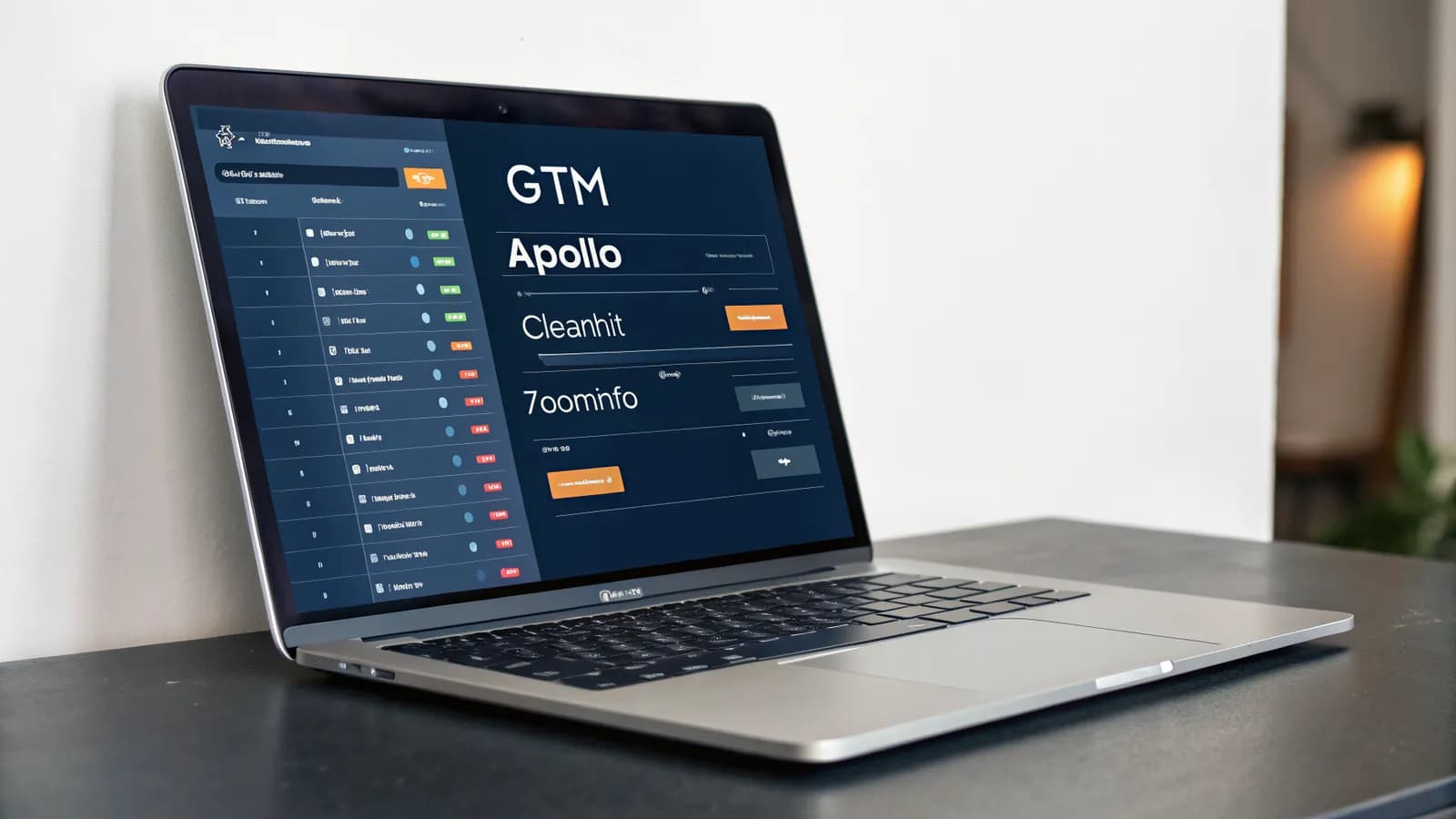
Someone on your GTM team mentioned Clay in a Slack thread three weeks ago, and you've had eleven browser tabs open about it since. The demo videos make it look like magic — data enrichment, personalized outbound, an AI agent that researches accounts for you. Then you get to the pricing page and the number makes you close the laptop for a minute. Here's the part nobody tells you upfront: the price isn't really the question. The question is simpler than you think — can your team's workflow actually use what Clay gives you, or would you be paying $800 a month for a very expensive spreadsheet?
Your lead list is getting more expensive, and no single invoice will ever show you why. Clay AI charges per lookup, per action, per AI run — a model that feels brilliant on a 200-lead demo and turns punishing somewhere past your first 10,000. Most GTM teams discover this the hard way: they spend a week building a beautiful workflow, watch their credits evaporate in one afternoon of testing, and only then reach for a calculator. Every serious Clay review ends up in the same place — the pricing page — but almost none of them show you the math before you sign up. This one does, with three real workflows and the actual credit costs at scale.
What Clay Actually Does: The Data Enrichment Workflow

Clay's core job is data enrichment: taking your raw lead and account data and turning it into something your sales and marketing teams can act on. You build what Clay calls an enrichment table: a spreadsheet-like grid of your leads, companies, or contacts. Every row can run lookups against a long list of data providers, including Apollo, Clearbit, ZoomInfo, and dozens more, and pull whatever you ask for: work emails, company size, funding stage, tech stack, recent hires.
The part that makes Clay different from a simple lookup tool is the waterfall. You stack providers in order, and if the first one has no data for a row, Clay automatically tries the next. Your final output is a merged record built from whichever providers actually had the answer. That's the clay data enrichment workflow in one paragraph: tables in, waterfall lookups, enriched rows out.
Here's the detail the demos don't linger on: every lookup step in that waterfall spends a credit. The more providers you stack, the more lookups each row triggers, and the faster your balance drains. That single mechanic matters more than any feature on the marketing page, and it's the reason the pricing section of this review exists at all.
Clay's company numbers are genuinely impressive. The company crossed $150M in annual recurring revenue in May 2026, up from $108M at the end of 2025, and raised a $100M Series C from CapitalG, Alphabet's growth fund, at a $3.1B valuation. Enterprise net retention sits above 200%. Customers include OpenAI, Anthropic, Canva, Intercom, Rippling, and Vanta. None of that tells you whether the tool earns its keep in your stack — but it explains why your GTM team keeps hearing about it.
Claygent: The AI Agent That Made Clay Famous

Claygent is Clay's AI agent, and it's the feature that turned the company from a data tool into a category. You give it a table of accounts and a research question like "what's the biggest initiative each of these companies announced this quarter?" — and it works through the rows, pulls sources, and fills in cited answers. Clay says Claygent has passed one billion runs.
The catch is cost. A Claygent run can be 5 to 20 times more expensive than a basic email lookup, depending on how deep the research goes. Run it across a few hundred accounts and you're spending real money on a single workflow. Gartner estimates that 40% of enterprises abandon agentic AI projects because of unpredictable variable costs — a pattern we covered in detail in our guide to no-code AI agents. Claygent is a perfect example of that risk: brilliant when you budget for it, dangerous when you don't.
None of this makes Claygent bad. It makes it a power tool. You use it deliberately, on the accounts that matter, not as a default for every row in the table. If your team already works with agentic marketing tools, you know this discipline. If you don't, it's the first thing to learn before you open the Clay app.
Tested: 3 Real GTM Workflows and What They Cost
Here's the part most Clay reviews skip: what the tool actually costs when you run real GTM work through it. I rebuilt three standard workflows with current pricing and counted the credits, so you can see the math before you commit. If you've built marketing workflow automation before, you already know the pattern — the tool is the easy part, the workflow design is the cost.
Workflow 1: Lead Enrichment at Scale
Take 1,000 leads you want enriched with work emails and company data. Independent testing on 500 leads (Cleanlist, March 2026) puts the real cost of a fully enriched lead at $0.50 to $3, depending on how many providers your waterfall needs to try before it finds a match. At the low end that's $500 for 1,000 leads; at the high end, $3,000. Compare that to the Launch plan at $185/month for 2,500 data credits, and you can see why enrichment volume decides the right plan — not headcount, not features.
The waterfall is where costs quietly multiply. Every provider in your stack that returns nothing still consumes a credit, so a six-provider waterfall on a thin dataset burns six credits per row for mostly empty results.
Here's the math in credits instead of dollars. If half your rows need two or three providers before they match, a 1,000-lead run burns 1,500 to 2,000 credits in one afternoon, most of the Launch plan's monthly 2,500. Enrichment volume, not seat count, decides which plan you actually need.
Workflow 2: Personalized Outbound Sequences
Outbound personalization is where Clay shines and where the spend accelerates. You enrich your leads, then run research per account — often via Claygent — to personalize the first line of your sequence. At 5–20x the cost of a lookup per run, research on 500 accounts can land at $1,500–$3,000 on top of your enrichment spend.
Then comes the second surprise: actions don't roll over. Unused actions expire at the end of the month, so you're paying for capacity you either use or lose. Teams that run outbound in bursts — a big campaign in week one, quiet in week three — pay for full capacity every month regardless. That's the "use it or lose it" pressure you'll see in user reviews, and it makes budget forecasting genuinely hard.
Workflow 3: Account Research Automation
Third, account research for your top-tier targets. Say you have 50 accounts you want weekly research briefs on. A Claygent workflow that compiles funding news, hiring changes, and recent announcements can produce a genuinely useful brief — and cost you more per account per week than the entire Free plan's credit allowance. Automate that across a year and it's the difference between a $495 Growth plan and a $720 Pro plan with credits to spare.
The pattern across all three: Clay's pricing is usage-based, so the bill follows your workflow design. Design a waterfall that hits on the first provider and cap Claygent to the accounts that matter, and the economics work. Design for completeness, and the $800/month headline starts looking optimistic.
Clay Pricing: What You Actually Pay at Scale
Clay pricing runs on two currencies: data credits and actions. Data credits buy lookups from enrichment providers. Actions buy automation steps: Claygent runs, email verifications, workflow executions. You can buy extra credit packs at roughly $100–$200 per 10,000 credits, or $0.01–$0.02 per credit.
Plan | Price | Data credits | Actions | Notes |
|---|---|---|---|---|
Free | $0 | 100 | 500 | ~1,200 credits/year total |
Launch | $185/mo ($167 annual) | 2,500 | 15,000 | Actions don't roll over |
Growth | $495/mo | 6,000 | — | — |
Pro | $720/mo (annual) | 50,000 | — | Native Salesforce/HubSpot integrations |
Enterprise | Custom | — | — | — |
Legacy Starter plans at $149/month were grandfathered for existing customers after March 11, 2026, so if you're signing up today, you start at Launch.
Here's what that means in practice. A heavy enrichment month that runs 30,000 credits over your allocation costs $300–$600 in top-ups at the $100–$200 per 10,000 credit rate, on top of your subscription. That's the part of Clay pricing most reviews miss: the plan fee is the entry ticket, the credits are the actual bill.
Read the user complaints and they cluster in the same place: credit burn. 42% of negative reviews mention it. One user described spending $800 in a single week while still learning the tool; others say trial credits vanish in about ten minutes of exploring. Trustpilot sits at 2.5/5 across 14 reviews, with slow support the recurring theme once you hit a problem — a sharp contrast to the positive G2 ratings that vendor blogs like to quote.
Two more pricing details you'll hit in practice. First, native Salesforce and HubSpot integrations are reserved for the Pro plan at $720/month — on lower plans you work around them with CSV exports, Zapier, or webhooks. Second, plan for the learning curve: experienced users report 4–6 weeks before they feel fluent, and every week of that curve burns credits while you experiment.
Who Clay Is NOT For
If you're a solo marketer or a small team enriching a few hundred leads a month, the economics don't work for you. At $0.50–$3 per lead, you're paying per row for data you can often get from a single-purpose tool at a flat rate. The credit model rewards volume: the more you enrich, the cheaper each lookup effectively becomes. That's the opposite of what a small-list operation needs.
Clay also demands a workflow owner. Teams without a dedicated RevOps or sales-ops function tend to build one workflow, use it for a campaign, then let it rot while the subscription keeps charging. And if you need hand-holding, the support complaints on Trustpilot are a real signal: this is a tool for people who can debug their own tables, not a managed service.
One more group: teams whose data is already clean. If your CRM is well-maintained and your lists are tightly targeted, Clay's enrichment returns are thin, and you'd be paying for lookups that mostly come back empty. And if you're an agency folding enrichment into client work, the credit model makes cost-plus billing messy. You either eat the burn or add a line item nobody loves.
Clay Alternatives Worth Knowing
If the math above gives you pause, you're not alone: "clay alternatives" is a busy search for a reason. Here's the landscape in one paragraph each.
ZoomInfo is the traditional answer: a massive subscription database you query directly, no per-lookup credits. The "ZoomInfo vs Clay" debate is really about ownership. ZoomInfo rents you their data; Clay lets you assemble your own provider stack and pay per lookup. If you want predictable flat pricing, ZoomInfo wins; if you want flexibility and freshness, Clay's model has the edge. Both are expensive at scale.
Apollo.io is the budget pick: enrichment, sequencing, and a CRM in one tool at a fraction of the price, with shallower data and real quality trade-offs.
And the newer crop of GTM agents — Lindy, SyncGTM, Salesforge, Breakcold — all position against Clay directly, mostly on predictable pricing and faster setup. They're worth a look if Clay's credit model is your blocker, though none has Clay's provider network or Claygent's maturity. SyncGTM, for example, markets its own platform at $348/month against Clay's $495 Growth tier, the predictable-billing pitch in a single number. For the broader category view, our roundup of the best agentic marketing tools covers the landscape.
Summed up: Clay has no true equal on enrichment depth. The question is whether your team needs that depth — or whether you need the other half of the workflow.
Bottom Line: Is Clay Worth $800/Month?
Here's my honest verdict after running the math and reading every serious Clay review I could find. Clay is the best data enrichment platform on the market in 2026. The teams I've seen fail with Clay didn't fail because the tool was bad. They failed because nobody owned the credit math. The $150M ARR, the >200% net retention, the one billion Claygent runs, and the customer list all point the same way. If you run outbound at scale with someone who owns the workflow, it will pay for itself.
But the $800/month headline is real, and it's the floor, not the ceiling. Between per-lead enrichment costs, 5–20x Claygent runs, non-rolling actions, and 4–6 weeks of learning-curve credit burn, you should budget well above the plan price for the first quarter. For the plan-by-plan numbers, jump back to the full Clay pricing breakdown above.
And if the reason you're looking at Clay is that your GTM data needs to turn into action — content, campaigns, reports — that's the half of the workflow Clay doesn't touch. That's where the answer to "is Clay worth it" gets interesting.
Frequently Asked Questions
What Does Clay AI Do?
Clay AI is a data enrichment and GTM automation platform. It builds enrichment tables that enrich lead and account data through waterfall provider lookups, and its Claygent agent runs AI research tasks on your data with cited sources. Think of it as a workflow tool you run for sales, RevOps, and marketing teams.
Is Clay Worth the Price?
It depends on your volume and workflow design. At scale — thousands of leads, active outbound — the per-lead cost of $0.50–$3 can beat assembling the same stack yourself. For small lists or occasional campaigns, the credit model is hard to justify. Budget for the learning curve: 42% of negative reviews cite credit burn, and one user reported spending $800 in a single week while learning.
How Much Does Clay Cost per Month?
Plans run $185/month (Launch, 2,500 data credits), $495/month (Growth, 6,000 credits), and $720/month billed annually (Pro, 50,000 credits with native CRM integrations). You can also buy extra credit packs at roughly $100–$200 per 10,000 credits — and remember, unused actions expire at the end of each month.
What Is Claygent and What Does It Cost to Run?
Claygent is Clay's AI research agent, with over one billion runs to date. It answers research questions across your account tables with cited sources. A single run costs 5 to 20 times more than a basic email lookup, so it's best used deliberately on your highest-value accounts rather than as a default for every row.
How Does Clay Compare to ZoomInfo?
ZoomInfo is a subscription data library with flat pricing; Clay is a pay-per-lookup platform where you assemble your own provider waterfall. ZoomInfo gives predictable costs and immediate depth, Clay gives flexibility and freshness, at the price of variable, usage-based bills. Most teams choose based on whether they prefer owning data or owning a workflow.

Start With the Execution Side
Clay enriches your lead data. Allable turns your marketing data into content, campaigns, and reports — no separate workflow tool required. While Clay starts at $185/month for 2,500 credits, Allable's Pro plan costs €99/month (€83/month billed annually) — no credit burn, no waterfall math, just the execution layer your GTM data is missing.