
Most content strategies share the same flaw: hundreds of blog posts on loosely related topics, each fighting for attention on its own. Pillar pages fix that. This guide covers everything: what a pillar page is, how it fits into the topic cluster model, why it helps you rank, and the exact steps to build one that works.
Most content strategies share the same flaw: hundreds of blog posts on loosely related topics, each fighting for attention on its own. The result is a site that looks busy but ranks for almost nothing.
Pillar pages fix that. They reorganize your content from a pile of disconnected articles into a structured system — one where every piece reinforces the others, and where Google can clearly see that you own a topic.
This guide covers everything you need to know: what a pillar page actually is, how it fits into the topic cluster model, why it helps you rank, and the exact steps to build one that works. You'll also get real examples from brands doing it right.
What Is a Pillar Page? (Clear Definition)
A pillar page is a comprehensive, long-form piece of content that covers a broad topic in depth and serves as the central hub for all related content on your website.
Think of it as the foundation of your content strategy for a given subject. The pillar page gives readers (and search engines) a full overview of a topic without going so deep that it becomes a 20,000-word encyclopedia. That depth is handled by the supporting cluster pages.
For example, if you run a marketing platform, a pillar page on "email marketing" would cover what it is, why it matters, best practices, tools, segmentation, automation, and metrics — each in summary form. Each of those subtopics then becomes its own cluster article that links back to the pillar.
The pillar page concept was formalized by HubSpot in 2016–2017, when they restructured their entire blog around the topic cluster model. The results were dramatic, and the strategy has since become a cornerstone of modern SEO.
Pillar Pages vs. Regular Blog Posts: What's the Difference?
It's an understandable question. Both are long-form content. Both target search traffic. So what actually separates a pillar page from a detailed blog post?
| Pillar Page | Regular Blog Post |
|---|---|---|
Topic scope | Broad topic overview | Single, focused subtopic |
Length | 3,000–5,000+ words | 1,000–2,500 words |
Keyword focus | Broad, high-volume keyword | Narrow, long-tail keyword |
Internal links | Links OUT to many cluster articles | Links back to the pillar |
Update frequency | Updated regularly as subtopics grow | Typically static after publish |
URL structure | /content-marketing/ | /content-marketing/how-to-write-a-blog-post/ |
The key difference is scope and architecture. A blog post goes deep on one thing. A pillar page goes broad on everything, then points readers to the blog posts that go deep.
A regular blog post on "how to write a blog post" is cluster content. The pillar page on "content marketing" is the hub it belongs to.
The Topic Cluster Model: How Pillar Pages Fit In
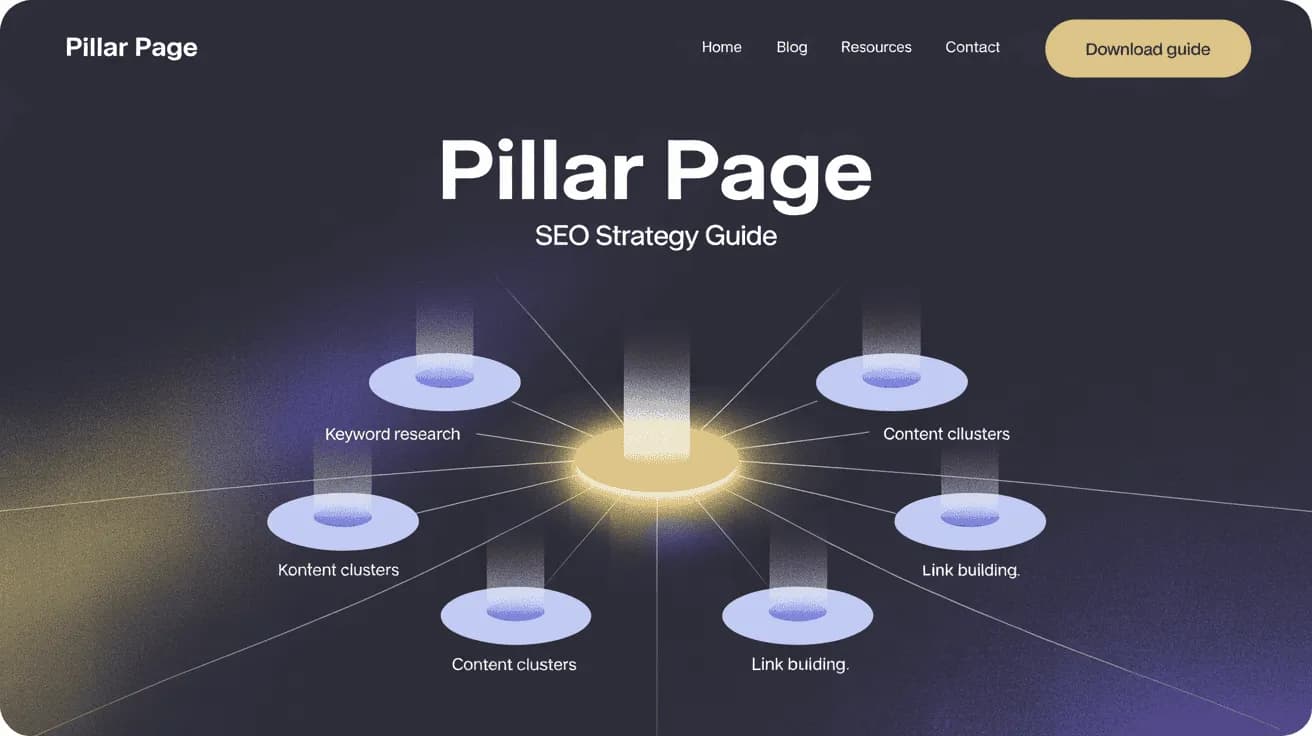
The topic cluster model is a content architecture strategy that organizes your site around interconnected hubs and spokes. At the center of each cluster is a pillar page. Surrounding it are cluster content pieces. Connecting them all is a deliberate internal linking structure.
Here's how each component works:
Pillar Page (Hub)
The pillar page is the anchor. It covers a broad, high-volume topic — something like "SEO," "content marketing," or "project management" — at an overview level. It's comprehensive enough to be valuable on its own but intentionally leaves room for the cluster articles to go deeper.
Every cluster article in that topic group links back to the pillar page. This concentration of internal links signals to Google that the pillar page is the authoritative resource for that topic.
Cluster Content (Spokes)
Cluster content pieces are the supporting articles. Each one dives deep into a single subtopic mentioned on the pillar page. They're typically more focused, targeting long-tail keywords that are harder to rank for on the pillar page directly.
For a pillar page on "SEO," your cluster content might include:
- How to do keyword research for SEO
- Technical SEO checklist
- On-page SEO best practices
- How to build backlinks
- Local SEO for small businesses
Each cluster article links to related pieces and always back to the pillar page — creating a web, not a list.
Internal Linking Structure
The internal linking structure is what makes the whole system work. Without it, you just have content. With it, you have architecture that search engines can map and understand.
The rule is simple:
- The pillar page links out to all its cluster articles
- Each cluster article links back to the pillar page
- Related cluster articles can link to each other when relevant
This bidirectional linking structure distributes page authority throughout the cluster and makes your topical coverage clear to Google. It also keeps users on your site longer — always just one click from learning more.
Why Pillar Pages Help You Rank Higher
This isn't just theory. There's real evidence that the topic cluster model, built around pillar pages, outperforms isolated content publishing at scale.
The numbers:
- Topic clusters built around pillar pages drive 30–43% more organic traffic than unconnected content, according to HubSpot's research.
- In 2026, clustered content receives 3.2× more citations in AI-generated answers (like Google's AI Overviews) than standalone posts — making pillar pages critical for the new era of search.
- Sites implementing the model have reported 63% more keyword rankings within the first 90 days of restructuring.
Beyond the stats, there are three structural reasons pillar pages outperform:
1. Topical authority. In May 2023, Google officially confirmed that topical authority is a ranking factor. When your site has a pillar page on a topic surrounded by 8–12 deeply researched cluster articles, Google sees you as a genuine expert — not just a site that published one decent post.
2. Keyword cannibalization prevention. Without a topic cluster structure, multiple pages on your site end up competing for the same keywords. A pillar page plus cluster content strategy assigns clear keyword ownership to each page, so your pages work together instead of against each other.
3. Better user experience. Pillar pages function as content maps. Readers who land on them quickly understand what's available, where to go next, and what they'll learn. Lower bounce rates and longer dwell times send positive signals to Google. Both are symptoms of a site that's genuinely useful.
Using AI SEO tools to identify content gaps within your cluster is one of the fastest ways to find quick ranking wins your competitors have missed.
5 Real Pillar Page Examples That Work
Theory is easier to grasp when you can see it in practice. Here are five real-world pillar page examples from brands building this right:
1. HubSpot — "The Ultimate Guide to SEO"
HubSpot invented the topic cluster model, so it's fitting they execute it better than almost anyone. Their SEO pillar page is a true hub — broad enough to be a complete resource, with links to dozens of in-depth cluster articles on everything from technical SEO to link building. It ranks for competitive terms because the cluster authority feeds the pillar.
2. Semrush — "What Is SEO & How Does It Work?"
Semrush uses pillar pages across all their core topics, and their SEO pillar is a textbook example. Clear table of contents, comprehensive subtopic coverage, deliberate cluster links, and a clean structure that works for both first-timers and experienced marketers.
3. Zapier — "The Ultimate Guide to Remote Work"
What makes Zapier's approach interesting is its simplicity. Their remote work pillar page uses bullet point lists to surface all the cluster content on the topic. No fancy design — just a comprehensive map of everything Zapier has written about remote work. Minimalist, and it ranks.
4. Healthline — Allergies Overview
Healthline builds pillar pages around broad health topics and surrounds them with cluster content for every specific condition, treatment, and symptom. Their allergies hub is one of the most linked-to pages on their site and holds top rankings for high-volume medical terms despite competing against WebMD.
5. Hunter.io — "Cold Email Outreach Guide"
Hunter.io's cold email pillar page is notable because it covers every relevant angle — what cold email is, how to write subject lines, personalization tactics, follow-up sequences, compliance — and links to individual deep-dive articles for each. It's a high-competition topic and they hold strong rankings because the cluster architecture signals genuine expertise.
What these examples have in common: depth without clutter, clear linking, and cluster content that actually exists. A pillar page without its cluster is just a long article.
How to Create a Pillar Page Step by Step
Building a pillar page that ranks takes more than writing a long article. Here's the process that works.
Step 1 — Pick the Right Broad Topic
The best pillar page topics are broad enough to generate multiple subtopics but focused enough to stay cohesive. A good test: can you write at least 8–12 dedicated articles on the subtopics within this topic?
Good pillar topics: "Content Marketing," "Email Marketing," "Social Media Marketing," "SEO," "Project Management for Teams."
Too broad: "Marketing." Too narrow: "How to Write Email Subject Lines."
Your topic should map to a keyword with real search volume and clear buyer intent. Use Allable's keyword research tool to find the right broad keyword and validate that there's sufficient search interest before committing.
Step 2 — Research Subtopics and Keywords
Once you have your broad topic, map out every subtopic someone might want to know about it. These become your cluster content targets.
Start with questions your audience asks:
- What is [topic]?
- How does [topic] work?
- What are the best tools for [topic]?
- How do I [specific use case] within [topic]?
- What are common mistakes with [topic]?
Then do competitor keyword research to find what terms the top-ranking competitors own — and identify the gaps you can target.
Your goal is a list of 8–15 subtopics, each capable of becoming a standalone cluster article with its own keyword target.
Step 3 — Plan Your Structure
Before writing, outline the full structure. A good pillar page typically includes:
- Introduction — why this topic matters, what the reader will learn
- Definition section — what is [topic]
- Core components — the main pillars of the topic
- How-to section — step-by-step guidance
- Examples — real-world cases
- Common mistakes — what to avoid
- FAQ — answers to specific questions
- Conclusion + CTA
Each H2 section in your pillar page should correspond to a cluster article (or become the seed for one). This alignment between pillar structure and cluster content is what makes the architecture work.
Step 4 — Write Comprehensively (But Not Exhaustively)
The tone for a pillar page is: complete overview, not deep dive. Cover every angle at the level of someone who needs a strong foundation — then let your cluster articles handle the depth.
Practical rules for writing:
- 3,000–5,000 words is the sweet spot for most pillar pages
- Use H2 and H3 headers liberally — they help search engines understand structure and help readers navigate
- Add a table of contents at the top linked to each section
- Use bold text to surface key concepts for skim-readers
- Write in plain language — you're writing for a broad audience, not specialists
Every section of your pillar page should be good enough to stand alone, but leave the reader wanting to explore further. That's when they click the cluster link.
Step 5 — Build Internal Links from Cluster Content
Publishing the pillar page is only half the job. The other half is making sure every cluster article links back to it.
For each cluster article:
- Add a contextual link back to the pillar page — not just in the intro, but where the topic is most relevant in the body
- Use descriptive anchor text that includes the pillar page's primary keyword
- Where cluster articles are closely related, link between them too
Once your cluster is live, revisit older blog posts on your site and update them to point toward the pillar page where relevant. This retroactive linking is one of the fastest ways to boost a new pillar page's authority.
If you're working with a large content library, use the on-page SEO optimizer to audit internal link gaps automatically — so you're not manually reviewing 200 blog posts.
Step 6 — Optimize and Update Regularly
A pillar page isn't "publish and forget." It should be a living document that grows with your cluster.
Initial SEO optimization:
- Include the primary keyword in the H1, first 100 words, and naturally throughout
- Write a compelling meta title (under 60 characters) and meta description (under 160 characters)
- Add schema markup (Article or FAQ schema) if your CMS supports it
- Optimize your images with alt text and compressed file sizes
- Check page speed — pillar pages are long, which can hurt load times
Ongoing maintenance:
- Add links to new cluster articles as you publish them
- Update statistics and examples when they become outdated
- Expand sections where you've published new cluster content
- Monitor rankings for the primary keyword and adjust underperforming sections
Use the on-page SEO checklist to make sure every technical element is covered before you hit publish.
Pillar Page Length: How Long Should It Be?
The honest answer: as long as it needs to be to fully cover the topic.
That said, data and competitive analysis point to a practical range:
- Minimum: 2,500 words — below this, your pillar page likely isn't covering the topic comprehensively enough to be a true hub
- Sweet spot: 3,000–5,000 words — thorough enough to cover all major subtopics, detailed enough to be genuinely useful
- Maximum: 8,000–10,000 words — justified only for extremely broad topics with many well-established subtopics (think "content marketing" or "project management")
Going longer doesn't automatically mean better. Padding a pillar page with filler content to hit a word count is counterproductive. Google measures engagement signals — if readers bail halfway through because the content is repetitive, length hurts you.
The better question isn't "how long should it be?" but "does this page fully answer every major question someone would have about this topic?"
If yes, you're done. If there are obvious gaps, fill them.
Common Pillar Page Mistakes to Avoid
Even marketers who understand the concept often trip up in execution. Here's what to watch for:
Mistake 1: Writing a pillar page without any cluster content
A pillar page without cluster articles is just a long blog post. The internal linking structure is what creates the SEO advantage. Build the cluster, not just the hub.
Mistake 2: Making the pillar page too narrow
If your pillar page only covers one angle of a topic, you've written a blog post — not a pillar page. The topic needs to be broad enough to sustain 8–12 separate subtopic articles. If you can't identify those subtopics, you've chosen too narrow a topic.
Mistake 3: Forgetting to link cluster content back
The most common oversight. Marketers create the pillar page, publish the cluster articles, but forget to add links from the cluster back to the pillar. This breaks the architecture. Every cluster article needs at least one contextual link back to the pillar.
Mistake 4: Targeting a keyword that's too competitive
A pillar page on "SEO" is fighting against HubSpot, Semrush, Ahrefs, and Moz. If your site is new, start with more specific topics where you can realistically build authority first. Use difficulty scores during your keyword research for SEO to pick battles you can win.
Mistake 5: Publishing once and never updating
Pillar pages become more valuable over time — but only if you maintain them. Add links to new cluster content as you publish it. Update outdated statistics. Refresh examples. A pillar page you published in 2023 that still references 2022 data signals to Google that you've abandoned it.
Mistake 6: Using the same keyword on cluster content and the pillar page
This creates keyword cannibalization. Your pillar page targets the broad keyword. Your cluster articles each target specific long-tail variants. If a cluster article targets the same keyword as the pillar, they compete rather than reinforce each other.
FAQ
How is a pillar page different from a landing page?
A landing page is designed to convert visitors to a specific action (sign up, buy, book a demo). A pillar page is designed to educate, establish topical authority, and distribute readers to cluster content. They serve different goals and shouldn't be conflated.
How many cluster articles do I need per pillar page?
The minimum is usually 5–8 cluster articles to create a meaningful cluster effect. Most well-performing clusters have 10–20+ pieces. Quality matters more than quantity — 8 thorough, well-linked cluster articles outperform 20 thin ones.
Can an existing blog post become a pillar page?
Yes — and often this is the most efficient approach. Identify your most comprehensive existing post on a broad topic, expand it to pillar page length, add a table of contents, and start linking cluster content to and from it. You're not starting from scratch; you're upgrading existing assets.
Do pillar pages work for small or new websites?
They work, but you need to be realistic about timelines. A new site building its first pillar cluster may not see ranking movement for 3–6 months. That's normal. The compounding benefits of topical authority build over time — and a well-structured cluster is worth far more at month 12 than a pile of disconnected posts.
Should the pillar page live at a short URL?
Yes. Aim for a clean, short URL slug that matches the broad topic keyword — like /content-marketing/ or /email-marketing/. Avoid long, dated URLs like /2024/06/what-is-content-marketing-and-how-does-it-work/.
Does AI search (Google AI Overviews, ChatGPT) favor pillar pages?
Increasingly, yes. Clustered content receives 3.2× more citations in AI-generated answers than standalone posts. The breadth of coverage and the semantic connections between pillar and cluster articles make it easier for AI models to identify your site as a comprehensive, trustworthy source.
Build Your First Pillar Page — and Let Allable Handle the Heavy Lifting
Pillar pages are one of the most effective content investments you can make in 2026. The data is clear: structured topic clusters outperform disconnected content on every metric that matters — organic traffic, keyword rankings, and now, AI search visibility.
The process is straightforward: pick the right broad topic, map your subtopics, write comprehensively, link deliberately, and keep the page current as your cluster grows.
Where most teams struggle isn't strategy — it's execution at scale. Identifying the right keywords, finding the subtopics your competitors are covering (and the gaps they've missed), auditing internal link health across hundreds of pages — that's where time disappears.
Allable.ai is built for exactly this. Use Allable's keyword research tool to map pillar topics and identify cluster keyword opportunities in minutes. Use the on-page SEO optimizer to check every cluster article before publishing. Track rankings across your full topic cluster to see exactly where your authority is growing — and where to double down.
Your first pillar page is the hardest. After that, you have a repeatable system. Start building today.