
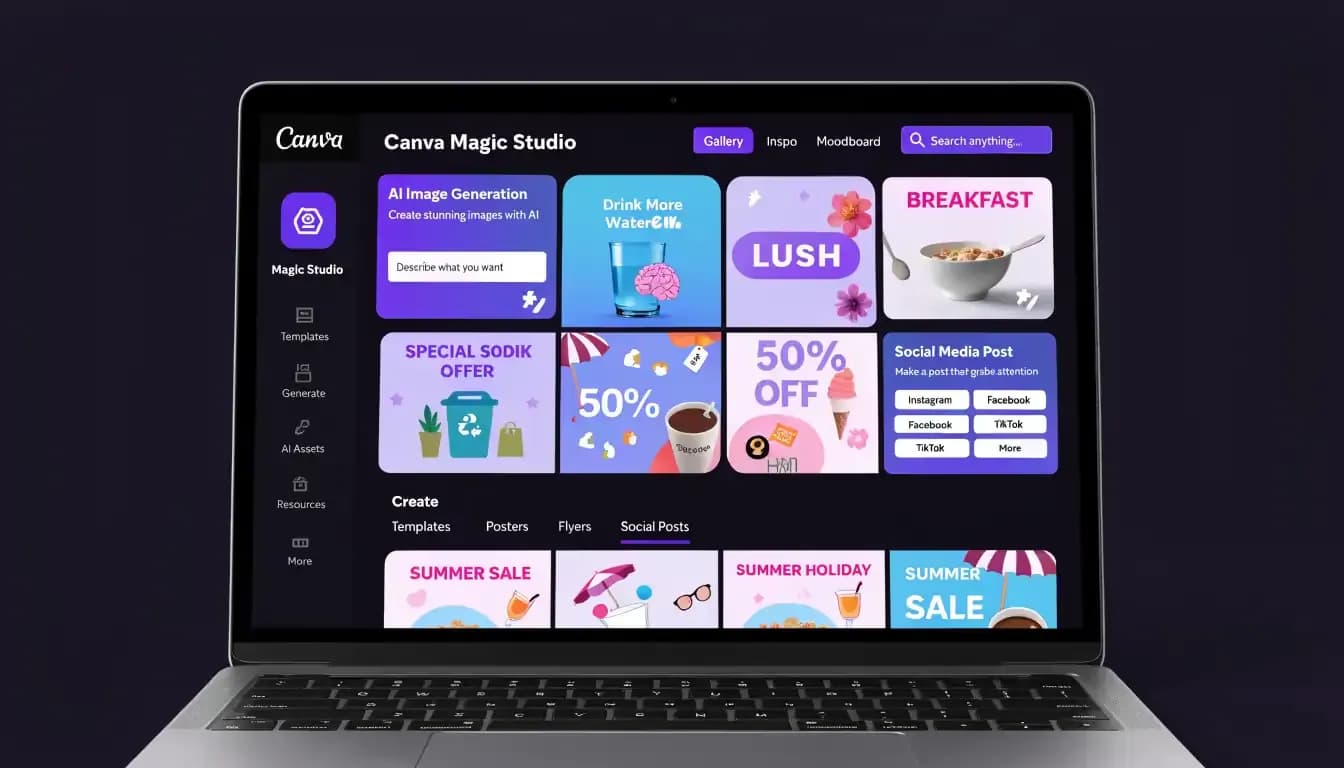
Canva AI Review 2026: Magic Studio Features Tested and Rated
Quick Summary
Overall rating: ⭐⭐⭐⭐ 4.0/5
Best for: Social media managers, small business owners, non-designer marketers, content creators
Not for: Content marketers who need SEO writing, keyword research, or campaign management
Free plan? Yes — limited AI credits (20 Premium AI uses/month)
Pro pricing: ~$15/month billed monthly, or $120/year
Standout feature: Magic Design — instant AI-generated layouts from a text prompt
Biggest limitation: AI-generated images output in low resolution by default; Magic Write is too shallow for serious content strategy
Introduction: What Is Canva AI and Who Should Read This?
Canva started as a drag-and-drop design tool for people who don't know Photoshop. By 2026, it has evolved into something bigger: an all-in-one visual content platform with a full AI suite called Magic Studio baked right in.
This review covers every major Magic Studio feature, verified pricing and AI credit limits as of 2026, real pros and cons, and a clear verdict on who should use Canva AI — and who should look elsewhere.
What Is Canva AI (Magic Studio)?
Magic Studio is Canva's unified AI feature suite. The suite includes:
- Magic Write — AI text generation for copy, captions, and short content
- Magic Design — AI-generated layouts and design templates from a prompt
- Magic Media — AI image and video generation (Dream Lab)
- Magic Edit — Context-aware image editing using text prompts
- Magic Eraser — Remove unwanted objects from photos
- Magic Expand — AI outpainting to extend image borders
- Magic Animate — Turn still designs into short motion clips
- Magic Switch — Transform designs into different formats; translate content
- Magic Morph — Apply 3D textures and effects to text and shapes
In 2026, Canva also launched Canva AI 2.0, introducing a conversational AI layer, Canva Sheets for smart data visualization, and Magic Charts for turning raw numbers into designed infographics.
Canva AI Features: What Can Magic Studio Do?
Magic Write: AI Text Generation
Magic Write is Canva's built-in copywriting assistant. In 2026, Magic Write added brand voice training and now supports 18 languages.
What it's good at: Quick social captions, presentation slide copy, short marketing descriptions, brainstorming bullets.
Where it falls short: Magic Write is not a substitute for a dedicated AI writing tool. It doesn't do long-form blog writing, SEO-optimized article structure, internal linking logic, or keyword-aware content strategy.
Magic Design: AI Layout Generation
Magic Design is genuinely impressive for non-designers. Type a prompt and Canva generates fully designed, editable layouts with matched colors, fonts, and imagery. In 2026, it became smarter about brand awareness — automatically pulling in Brand Kit colors and fonts.
Where it falls short: The "template energy" problem is real. Without deliberate customization, your output can look like every other Canva post on LinkedIn.
Magic Media: AI Image and Video Generation
Dream Lab generates commercially licensed AI images designed for marketing and business use — 500 monthly generations for Pro users. Text to Video supports video up to 60 seconds at 4K resolution on Pro.
Where it falls short: Magic Media outputs images at approximately 384×688 pixels by default — suitable for web and social media, but not for print. You need to use the "Boost resolution" option separately.
Magic Edit, Eraser, and Expand
Magic Edit — Select a region and describe what you want to replace or add. Magic Eraser — Brush over unwanted elements; results are hit or miss for complex scenes. Magic Expand — Extend an image beyond its original borders. Background Remover — Pro only; works reliably for clean product photography.
Magic Switch and Magic Animate
Magic Switch 3.0 lets you convert designs into different formats and translate into 150+ languages while preserving the layout. Magic Animate applies motion effects for short motion graphics for social media.
Canva AI Pricing: Which Plans Include AI Features?
Plan | Monthly Price | Annual Price | AI Allowance |
|---|---|---|---|
Free | $0 | $0 | 200 Standard or 20 Premium AI uses/month |
Pro | ~$15/month | ~$120/year | 2,000 Standard / 200 Premium / 20 Ultra AI uses/month |
Teams/Business | ~$25/user/month | ~$300/user/year | 4,000 Standard / 400 Premium / 40 Ultra AI uses/month |
AI Pass (add-on) | ~$10/user/month | — | Additional AI credits |
Feature | Free | Pro |
|---|---|---|
Magic Write | ~50 lifetime uses | ~500 uses/month |
Text to Image (Dream Lab) | ~50 lifetime uses | ~500 uses/month |
Text to Video | ~5 lifetime uses | ~50 uses/month |
Magic Translate | ~50 pages lifetime | ~500 pages/month |
Background Remover | ❌ Not included | ✅ Included |
Magic Eraser | ❌ Not included | ✅ Included |
Magic Expand | ❌ Not included | ✅ Included |
Canva AI Pros and Cons
Pros
- Integrated workflow — design, write, generate images, resize, and schedule social posts in one tool
- Genuinely fast for social content production
- Non-designer friendly — Magic Design and templates require zero design experience
- Commercially licensed AI images (Dream Lab)
- Brand Kit integration — colors and fonts carry into AI-generated designs automatically
- Magic Switch translation — repurpose designs across markets without rebuilding layouts
- 4.7/5 rating on G2 with 92% user satisfaction on AI image quality
Cons
- Low-resolution image output (~384×688px default) — unusable for print without manually boosting
- Magic Write is shallow — good for captions, inadequate for long-form SEO content
- "Template energy" risk — designs can look like everyone else using the same templates
- Teams pricing hike — mandatory per-person model is a significant cost increase for small teams
- No SEO tools, no keyword research, no campaign management
- Limited export formats for professional design tools
Canva AI vs. Alternatives
Canva AI vs. Adobe Firefly
Canva AI | Adobe Firefly | |
|---|---|---|
Target user | Non-designers, marketers, SMBs | Professional designers, creatives |
Image quality | Good for social/web | Higher ceiling; suitable for print |
Ease of use | Very easy | Steeper learning curve |
Price | Free / $15/month | Included in Creative Cloud (~$54/month) |
Canva AI vs. Allable
Canva is built around visual design. Its AI features help you create graphics, presentations, videos, and branded materials faster. The writing tools support copy within designs, not content strategy or SEO.
Allable is built around marketing performance. It combines keyword research, SEO audit, AI content generation, competitor analysis, campaign setup, and AI image generation in one chat-first platform. The content it generates is structured for search, not just for looks.
If your goal is creating stunning social graphics — Canva. If your goal is building organic traffic, managing search campaigns, and scaling content output with a strategic foundation — Allable.
Who Should Use Canva AI?
- Social media managers who publish content daily
- Small business owners who handle their own marketing
- Content creators and educators building visual assets regularly
- Non-designers who need templates for professional-looking results
- Teams managing multiple brands (Pro gives 5 Brand Kits)
Who Should NOT Use Canva AI?
- Those needing SEO-optimized blog content — Magic Write is surface-level only
- Those needing keyword research or rank tracking — Canva has zero SEO capability
- Those managing paid search campaigns
- Those needing print-quality image output (default ~384×688px)
- Professional designers needing vector control or advanced compositing
Final Verdict
Canva AI Magic Studio rating: 4.0 / 5
Canva is the best drag-and-drop design tool on the market, and Magic Studio makes it meaningfully better for non-designers producing visual content at volume. For social media managers, small business owners, and content creators whose work is primarily visual — Canva Pro at $15/month is excellent value.
For content marketers and SEO practitioners whose work is primarily strategic — Canva is a useful design layer, but not a complete solution. Bottom line: Buy it for the design workflow. Don't expect it to be an SEO tool or content strategy platform.
FAQ
Is Canva AI free?
Yes — Canva has a free plan with approximately 200 Standard or 20 Premium AI uses per month. Background Remover, Magic Eraser, and Magic Expand are only on paid plans.
How much does Canva Pro cost in 2026?
Approximately $15/month billed monthly, or $120/year (~$10/month). Always verify current pricing at canva.com/pricing.
What's the difference between Canva Magic Write and other AI writing tools?
Magic Write is a lightweight copywriting assistant for short-form copy. It's not comparable to dedicated AI writing platforms for long-form content, SEO optimization, or structured article creation.
Are Canva AI-generated images commercially safe?
Yes — Dream Lab outputs are commercially licensed. Canva also offers "Canva Shield" IP indemnification for Enterprise users.
What are the AI credit limits on Canva Pro?
Canva Pro includes up to 2,000 Standard AI uses, 200 Premium AI uses, or 20 Ultra AI uses per month. Additional credits via the AI Pass add-on (~$10/user/month).
Can Canva AI write blog posts?
Canva Magic Write can generate a rough outline or short paragraph, but it's not designed for full blog posts. It lacks SEO structure awareness, keyword optimization, and the depth needed for content that ranks.