
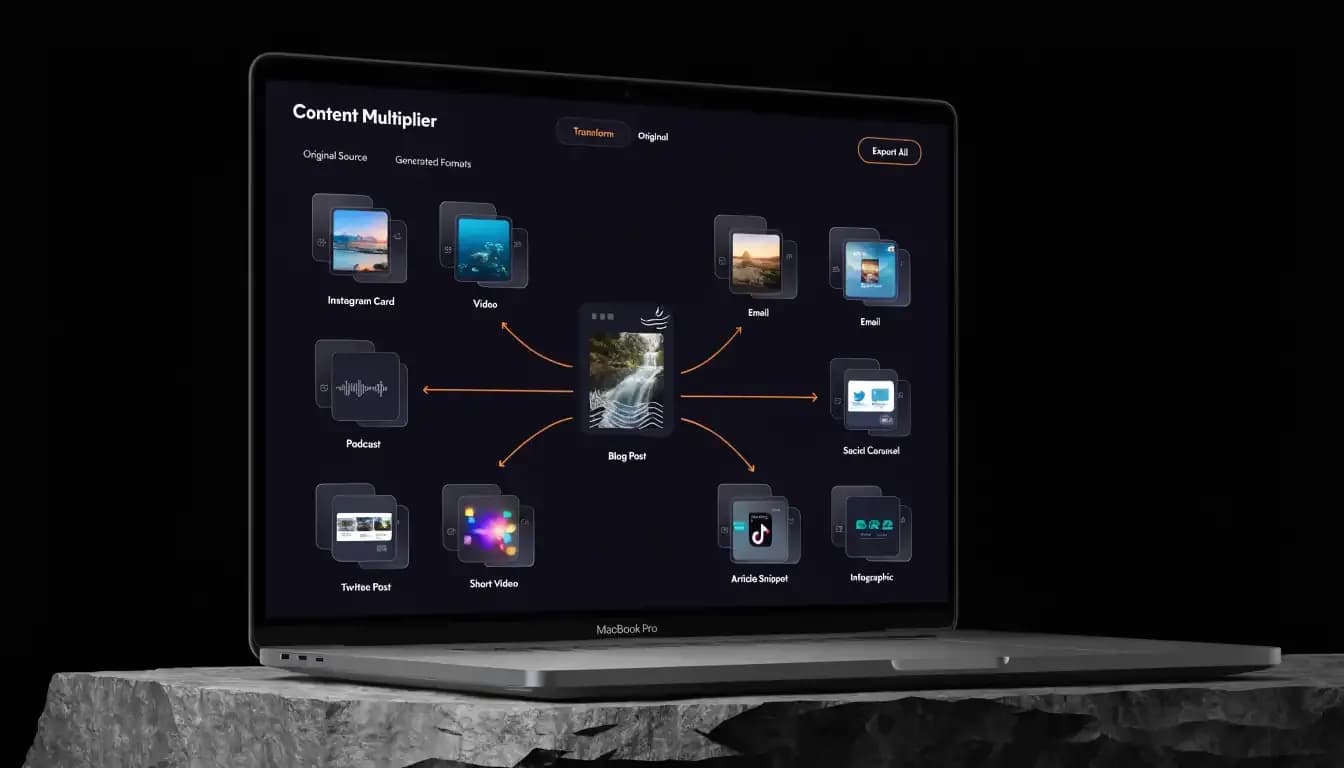
You wrote a solid post. Two hundred people read it. The same content can reach five more audiences this week — without writing a single new word.
You spent 10 hours writing a detailed blog post. It got decent traffic for a week — and then it disappeared into the content graveyard. Sound familiar? The problem isn't your content. It's that you only used it once. Content repurposing is the strategy that turns that single piece into a content engine that works across every channel, for months.
In 2026, with AI tools making the transformation process faster than ever, there's no excuse for letting high-quality content sit idle. This guide gives you the exact framework, tactics, and tools to multiply your content output without multiplying your workload.
Quick Answer: What is content repurposing?
Content repurposing is the process of taking an existing piece of content — a blog post, video, podcast, or webinar — and transforming it into multiple new formats for different channels and audiences. It lets you get 5–10x more reach and value from the same core ideas without starting from scratch every time.
What Is Content Repurposing?
Content repurposing means taking one piece of content and adapting it into different formats for different platforms. A single long-form blog post might become a YouTube video script, a LinkedIn carousel, an email newsletter, a Twitter/X thread, and a downloadable PDF guide — all from the same core material.
It's important to distinguish repurposing from content recycling. Content recycling means re-sharing the same content as-is (like reposting an old article or re-uploading a tweet). Content repurposing involves actual transformation — adapting the format, tone, or structure to suit a new channel or audience segment.
Why does this distinction matter? Because recycling gives you the same audience the same thing twice. Repurposing gives new audiences your best ideas in the format they prefer. A visual learner who skips your 3,000-word blog might watch your 90-second Instagram Reel covering the same topic.
The core principle: one idea, many formats, multiple audiences. Your ideas don't change — the packaging does.
Why Repurpose Content in 2026?
The case for content repurposing has never been stronger. Here are four compelling reasons to make it a cornerstone of your content marketing strategy:
1. Maximize ROI on Content You Already Own
The average blog post takes 3–6 hours to produce. If it only lives on your blog, you're leaving massive value on the table. Research from HubSpot consistently shows that companies that repurpose content generate significantly more leads per piece than those that publish-and-move-on. By repurposing one pillar article into 10 assets, you drop the effective cost-per-asset by 90%.
2. Reach Audiences Across Every Channel
Different people consume content in different ways. Some prefer to read. Others listen to podcasts during commutes. Others watch short-form videos or scan LinkedIn feeds. A content repurposing strategy ensures your best ideas reach every type of consumer — on their preferred platform, in their preferred format.
3. Compound SEO Benefits
Every piece of repurposed content is an opportunity to target a related keyword, earn a new backlink, or build topical authority. A blog post targets one keyword. The YouTube video version targets a different search intent on a different platform. The LinkedIn article version earns links back to your site. Together, they create a content network that compounds your SEO over time.
4. Save Time with AI-Assisted Repurposing
In 2026, AI tools have transformed how quickly you can repurpose content. What used to take a full day of editing, reformatting, and rewriting now takes minutes. Platforms like Allable.ai's AI content creation suite can take a single article and generate social posts, email newsletters, and SEO-optimized summaries in seconds. The bottleneck is no longer production — it's strategy.
The Content Repurposing Framework
The most effective content repurposing strategy starts with a clear framework: Core Content → Derivative Matrix.
Think of your core content as the "content pillar" — a comprehensive, research-backed piece that covers a topic in depth. From that pillar, you extract and transform content into derivatives across three tiers:
- Tier 1 — Long-form derivatives: Full YouTube video, podcast episode, SlideShare deck, gated PDF guide
- Tier 2 — Medium-form derivatives: LinkedIn article, email newsletter, Twitter/X thread, Reddit post
- Tier 3 — Short-form derivatives: Instagram carousel, TikTok/Reel, quote graphics, infographic snippets
The key insight: you don't create Tier 3 content from scratch. You extract it from Tier 1. A short Instagram carousel pulls the 5 key statistics from your blog. A TikTok pulls the single most surprising insight. The content already exists — you're just surfacing the right piece for the right platform.
10 Ways to Repurpose a Blog Post
Your blog is the most versatile content asset you own. Here's exactly how to repurpose content from a single blog post into 10 high-performing assets:
1. Turn It Into a LinkedIn Post Series
LinkedIn rewards long-form, thought-leadership content. Take your blog's main sections and turn each one into a standalone LinkedIn post. A 10-section blog becomes a 10-day content series. Add a "read the full guide" link in each post to drive traffic back to your site. LinkedIn's algorithm favors native posts, so this approach earns significantly more organic reach than a simple link share.
2. Create an Infographic
Extract the key statistics, steps, or frameworks from your blog and visualize them in an infographic. Infographics are among the most shared content formats online — they're easy to understand, save, and embed. Use Canva or an AI design tool to turn your blog's framework or numbered list into a clean visual. Infographics also earn backlinks when other sites embed them.
3. Record a Podcast Episode
Your blog post is already a script. Record yourself (or a team member) walking through the key points in a conversational tone. Add a brief intro and outro, and you have a 10–20 minute podcast episode. This reaches the growing audience of commuters and multitaskers who consume audio content. Podcast episodes also appear in Google's search results, giving you an additional organic entry point.
4. Make a YouTube Video
YouTube is the world's second-largest search engine. Use your blog post as the basis for a screen-recorded tutorial, talking-head video, or animated explainer. YouTube videos rank in both YouTube search and Google search, effectively doubling your chances of capturing search traffic for your target keyword. Include timestamps in the description that mirror your blog's H2 structure.
5. Create a Twitter/X Thread
Twitter/X threads are perfect for sharing step-by-step frameworks and lists. Take your blog's main points and rewrite them as punchy, concise tweets. Lead with the most surprising or counterintuitive insight to hook readers, then deliver value in every subsequent tweet. End with a CTA linking to the full article. Threads consistently earn more impressions than single tweets and can go viral independently of your follower count.
6. Turn Key Points Into Instagram Carousels
Repurposing content for social media is most effective on Instagram when you use the carousel format. Each slide covers one key point from your blog. The first slide is your hook (the big claim or surprising stat). The final slide is your CTA. Instagram carousels get 3x more reach than single-image posts, and they're infinitely saveable — which drives ongoing traffic to your profile.
7. Build an Email Newsletter
Your email subscribers are your highest-intent audience. Summarize the most actionable insights from your blog into a focused newsletter: one problem, three key insights, one clear action item. Keep it under 300 words with a strong "read the full guide" button. This drives qualified traffic while training your audience to expect regular value from your emails.
8. Create a Downloadable Checklist or Guide
Extract the actionable steps from your blog and format them as a downloadable PDF checklist or mini-guide. Gate it behind an email opt-in to grow your list, or offer it ungated to increase shareability. A well-designed checklist from a 2,000-word post can generate leads for months. It also positions the checklist as a companion tool to your blog — increasing time-on-site and establishing content authority.
9. Film Short-Form TikTok/Reels Videos
Extract the single most compelling insight or "aha moment" from your blog and deliver it in a 30–60 second video. Short-form video is the highest-reach format in 2026 — TikTok alone serves over 1 billion users daily. You don't need to cover the whole blog; one strong insight per video is enough. Create a mini-series where each video covers one section of the blog, linking back to the full article in your bio.
10. Build a Slide Deck / SlideShare
Turn your blog post structure into a presentation slide deck. Each H2 becomes a section divider, each key point becomes a slide. Share on SlideShare (LinkedIn), embed in your blog post, or use as a sales enablement asset. Slide decks on LinkedIn's SlideShare network get discovered through Google search and can drive significant referral traffic — especially for B2B and educational content topics.
10 Ways to Repurpose a Video
Video is the richest content format — and the easiest to repurpose. One recorded webinar, tutorial, or interview contains enough raw material to fuel your content calendar for weeks.
- Transcript → Blog Post: Run your video through a transcription tool and edit the output into a structured, SEO-optimized blog article.
- Audio → Podcast Episode: Strip the audio track from your video and publish it as a standalone podcast episode.
- Long Video → YouTube Clips: Cut your full video into 3–5 minute thematic segments. Each clip can be a standalone YouTube video targeting a more specific keyword.
- Clips → Short-Form Reels/Shorts: Pull the most compelling 30–60 second moments and post as Instagram Reels, TikTok videos, and YouTube Shorts.
- Key Quotes → Social Graphics: Screenshot or design the most quotable moments as branded image posts for LinkedIn, Instagram, and Twitter/X.
- Chapters → LinkedIn Articles: Each major section of your video becomes a standalone LinkedIn article. Link back to the full video in each article.
- Slides → Carousel Posts: If your video included a slide presentation, export the slides as images and publish as a LinkedIn or Instagram carousel.
- Data Points → Infographic: Extract statistics, benchmarks, or research findings from your video and visualize them in a shareable infographic.
- Q&A Segments → FAQ Content: If your video included audience questions, compile the best Q&A pairs into a dedicated FAQ article or post.
- Full Video → Email Series: Break the video into thematic sections and deliver each section as a weekly email in an automated nurture sequence.
Content Repurposing Workflow (Step-by-Step)
Knowing the tactics is one thing. Having a repeatable system is what separates content marketers who grow consistently from those who burn out. Here's a proven content repurposing workflow:
Step 1: Audit Your Best Content
Before you repurpose anything, identify which content is worth repurposing. Sort your existing content by organic traffic, engagement, conversions, and backlinks. The best candidates for repurposing are your "evergreen unicorns" — pieces that consistently attract traffic and have broad appeal. Don't waste time repurposing a post that never performed. Start with what already works.
Tools to use: Google Analytics (organic sessions + time on page), Google Search Console (impressions + clicks), and your CMS analytics. Aim to identify your top 10–20 performing pieces.
Step 2: Plan Repurposing for Each Format
Not every piece suits every format. For each top-performing piece, map out which derivatives make sense based on the content type and audience. A data-heavy research post is perfect for an infographic and Twitter thread. A how-to guide works well as a YouTube tutorial and downloadable checklist. A case study translates well into a LinkedIn article and podcast story.
Create a simple repurposing matrix in a spreadsheet: rows = content pieces, columns = formats. Mark which derivatives you'll create for each piece. This prevents you from repurposing reactively and ensures every format has a clear distribution channel.
Step 3: Create Content Derivatives
Now execute. The biggest efficiency gain comes from batching — create all derivatives for one piece before moving to the next. This keeps your context fresh and avoids context-switching penalties. For each derivative, adjust the tone for the platform (LinkedIn is professional, TikTok is casual, email is personal). Adapt the format, not the core message.
With AI tools, this step is dramatically faster. Allable.ai can generate a social post, email summary, and SEO meta tags from your blog in seconds — without losing your brand voice. What used to take a full day now takes an afternoon.
Step 4: Schedule and Distribute
Batch-create your derivatives, then schedule them for distribution using a social media content strategy calendar. Don't publish all derivatives at once — spread them out over 2–4 weeks to maintain consistent presence. Space out the LinkedIn posts, emails, and social content to avoid audience fatigue. Track performance for each derivative to identify which formats resonate most with your specific audience.
AI Tools for Content Repurposing in 2026
The right tools make content repurposing exponentially faster. Here are the key platforms powering smart repurposing workflows in 2026:
Allable.ai — AI-Powered Content Creation & Repurposing
Best for: Full repurposing workflow — from blog to social, email, and SEO assets in one platform.
Allable.ai is an all-in-one AI marketing platform designed specifically for marketers who want to do more with the content they already have. Its AI content creation suite transforms a single blog post into LinkedIn posts, Twitter threads, email copy, meta descriptions, and more — all in your brand voice. With built-in SEO tools and a keyword research engine, Allable helps you optimize every derivative for search. Free tier available; paid plans start at ~$29/month.
Descript — Video and Audio Repurposing
Best for: Turning long-form video and podcast recordings into clips, transcripts, and short-form assets.
Descript is a video and audio editing tool that works from a transcript. Edit your recording by editing text — delete a word in the transcript and it disappears from the video. Its "Underlord" AI features automatically identify the best clips from long recordings, making it ideal for extracting Reels and Shorts from webinars or interviews.
Canva — Visual Derivatives
Best for: Creating infographics, carousel slides, quote graphics, and downloadable PDF guides from text content.
Canva's AI-powered design tools — including Magic Design and Magic Write — speed up the creation of visual derivatives. Upload your key points, choose a template, and Canva generates a branded infographic or carousel in minutes. Its Brand Kit feature ensures every derivative maintains consistent visual identity.
Jasper — Long-Form Content Transformation
Best for: Rewriting blog content into new formats like press releases, case studies, and LinkedIn articles while maintaining context.
Jasper's Brand Voice feature remembers your tone and style across transformations. Paste in a blog post and ask Jasper to rewrite it as a LinkedIn article, email, or FAQ section. It's particularly strong for B2B content that requires a more formal or professional tone adaptation.
Frequently Asked Questions About Content Repurposing
What is the difference between content repurposing and content recycling?
Content recycling means re-sharing the same content without changes — for example, re-posting an old tweet or resharing a blog link. Content repurposing involves actively transforming the content into a new format, tone, or structure suited for a different platform or audience. Repurposing creates new value; recycling simply redistributes existing content.
How many times can you repurpose a single piece of content?
There's no hard limit. A single evergreen blog post can realistically generate 10–20 distinct content assets: social posts, a video, a podcast, an infographic, an email, a checklist, and more. High-performing evergreen content can and should be repurposed across multiple content cycles.
Does content repurposing hurt SEO with duplicate content?
No — as long as you do it correctly. Google only penalizes exact duplicate content published on the same domain without a canonical tag. When you repurpose content for other platforms (LinkedIn, YouTube, podcast directories), it lives on a different domain and doesn't affect your site.
What types of content are easiest to repurpose?
The easiest content to repurpose tends to be listicles, how-to guides, data-driven research posts, and long webinars or interviews. Heavily opinion-driven or news-reactive content is harder to repurpose because it ages quickly.
How do I repurpose content for social media without sounding repetitive?
The key is to change the angle, not just the format. For the same blog post, your LinkedIn post might lead with a contrarian insight, your Instagram carousel focuses on the visual framework, and your Twitter thread covers only the top 3 tactics with deeper commentary. Same source material — completely different angles.
How long does content repurposing take?
Without AI tools, manually repurposing a blog post into 5–6 formats typically takes 4–8 hours. With an AI content creation platform like Allable.ai, the same task can be completed in under 60 minutes — including generating social copy, email summaries, and SEO meta tags.
Should I repurpose every piece of content I create?
No — prioritize strategically. Focus repurposing efforts on your top-performing evergreen content, cornerstone articles, and high-traffic landing pages. A good rule: if a piece is still generating organic traffic 6 months after publishing, it's a strong repurposing candidate.
Conclusion: Stop Publishing Once, Start Distributing Everywhere
The most successful content marketers in 2026 aren't creating more content — they're extracting more value from the content they already have. A disciplined content repurposing strategy transforms your best work into a multi-channel content engine that builds reach, earns backlinks, and drives traffic long after the original publication date.
Start with your top 5 performing blog posts. Map out 5 derivatives for each. Use AI tools to speed up the transformation. Schedule and distribute over 3–4 weeks. Measure which derivatives drive the most traffic and leads — and double down on those formats.
Try Allable.ai Free — Repurpose Your First Post in Minutes →